
 Vitalii Holben
Playwright "Target page, context or browser has been closed": causes and fixes
Playwright's "Target page, context or browser has been closed" almost always comes from a lifecycle bug, not a Playwright bug. Here are the five real causes — from premature browser.close to Chromium crashes — and how to fix each.
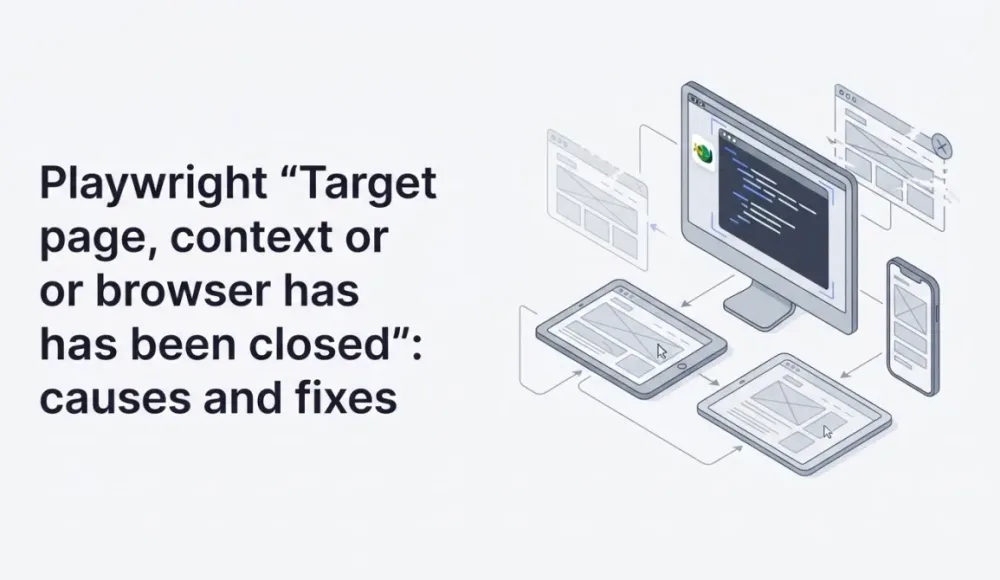
Target page, context or browser has been closed is one of those errors that initially looks like a Playwright bug, but almost always turns out to be a flaw in how your code manages object lifecycles. Bumping a timeout or retrying isn't going to help here: the code is trying to reach a resource that no longer exists, and no amount of waiting will bring it back.
To fix the error, you first need to figure out which of the three objects actually closed: the page, the browser context, or the browser itself. The error message doesn't tell you. It just lists all three. And that's confusing, because the fix is different for each case.
The Browser → Context → Page hierarchy
Playwright has three levels of objects, and they nest strictly:
browser, the Chromium/Firefox/WebKit instance launched viachromium.launch()browserContext, an isolated session inside the browser, with its own cookies, storage, and permissions; created viabrowser.newContext()page, a specific tab inside a context, created viacontext.newPage()
Closing cascades downward. Close the browser, and all of its contexts and pages close with it. Close a context, and every page inside it goes too. There's no upward propagation. Closing a page doesn't touch its context.
This hierarchy is what generates every variant of the error. Here are the five causes I've actually run into.
Cause 1: a premature browser.close() in try/finally
This is the most common one. The code looks like this:
let browser;
try {
  browser = await chromium.launch();
  const page = await browser.newPage();

  const screenshotPromise = page.screenshot({ fullPage: true });
  // something else happens asynchronously

  return await screenshotPromise;
} finally {
  if (browser) await browser.close();
}
It looks fine: the browser closes in finally. But if anything inside try kicks off a promise without being awaited, the finally block runs before that operation finishes. The browser closes, the operation crashes with Target page, context or browser has been closed.
This shows up especially often with Promise.all(), where one operation is faster than the others and triggers an error handler before the rest have settled:
// Fails: pageOperation throws, finally closes browser,
// otherOperation hasn't finished yet
await Promise.all([pageOperation(page), otherOperation(page)]);
Fix this by making sure every page operation has fully settled before the code reaches browser.close(). Use Promise.allSettled() instead of Promise.all() when you need to wait for everything regardless of failures:
let browser;
try {
  browser = await chromium.launch();
  const page = await browser.newPage();

  const results = await Promise.allSettled([
    pageOperation(page),
    otherOperation(page),
  ]);

  return results;
} finally {
  if (browser) await browser.close();
}
allSettled waits for every promise even if some of them reject. By the time you hit finally, nothing is still in flight.
Cause 2: using a page after browserContext.close()
This one shows up more often in code that used to work with a single context and was later refactored to use multiple. Something like this:
const context = await browser.newContext();
const page = await context.newPage();

await page.goto(url);
await context.close(); // closed the context
await page.screenshot(); // error: Target closed
Obvious when you can see it laid out. But in real code, the context close and the page operation are usually in different functions. Someone closes context in afterEach, and another function further up the stack keeps calling methods on the page handle it received as a parameter.
Be careful with cleanup order. A page belongs to its context, and any operation on the page has to finish before the context closes. When the codebase is large and the lifecycle gets murky, explicit lifecycle logging helps:
context.on('close', () => console.log('context closed'));
page.on('close', () => console.log('page closed'));
Those logs make it obvious who closed whom first.
Cause 3: a shared context across parallel operations
This one's more specific: it's when several operations share the same browserContext, and one of them calls context.close() without knowing the others are still working.
For screenshots, the typical scenario is this: you're running a batch of a hundred URLs, and to save resources you reuse one context for all of them. One URL hits a timeout, your error handler closes the context for cleanup, and ninety other pages are still mid-flight. They all crash with Target closed.
// Dangerous pattern: shared context for a batch
const context = await browser.newContext();

const results = await Promise.all(
  urls.map(async (url) => {
    const page = await context.newPage();
    try {
      await page.goto(url);
      return await page.screenshot();
    } catch (err) {
      await context.close(); // breaks every other operation
      throw err;
    }
  })
);
A better pattern is isolation. Each parallel operation gets its own context, and closing one doesn't touch the others:
const results = await Promise.all(
  urls.map(async (url) => {
    const context = await browser.newContext();
    try {
      const page = await context.newPage();
      await page.goto(url);
      return await page.screenshot();
    } finally {
      await context.close();
    }
  })
);
One browser, multiple contexts. It costs slightly more memory, but you get isolation between tasks and remove a whole class of race conditions. I covered related lifecycle patterns in my post on strategies for waiting for page load, and there are some adjacent cases there.
Cause 4: the browser actually crashed
This one isn't your code's fault. It's the system. The symptom is randomness: the error shows up without an obvious pattern, more often under load or in Docker.
What's happening: Chromium dies with a segfault or OOM, Playwright loses its connection, and any subsequent operation returns Target page, context or browser has been closed. Playwright didn't technically close anything. The process died on its own.
Most common reasons for crashes in production:
- small
/dev/shmin Docker: Chrome uses shared memory, and containers default to 64 MB - memory leaks from un-closed pages: every open
pageholds about 50-100 MB - file descriptor ulimits: Chromium opens a lot of FDs, and the default 1024 limit fills up fast
Baseline launch flags that fix most Docker crashes:
const browser = await chromium.launch({
  args: [
    '--no-sandbox',
    '--disable-setuid-sandbox',
    '--disable-dev-shm-usage',
    '--disable-gpu',
  ],
});
--disable-dev-shm-usage switches Chrome from /dev/shm to /tmp, which sidesteps the small shared-memory problem entirely. I covered the same fix in more detail in my post on Puppeteer Navigation timeout. The flag works the same way for both frameworks.
If crashes still happen periodically, it's worth attaching a disconnected handler and restarting the browser automatically:
browser.on('disconnected', () => {
  console.error('Browser crashed, restarting...');
  // restart logic
});
Fingerprint patches and bypassing detection, which can also cause Chromium instability, are covered in my post on stealth patches for headless Chromium.
Cause 5: the page closed itself after a redirect or action
This one is subtle and rarer, but it can be miserable to debug. Here's how it happens: you call page.click() or page.goto(), and as a result the page does something that closes itself. For example, JavaScript on the page calls window.close(), or a popup that opened earlier closes back into the main window.
Your code keeps the old page handle, tries to use it, and gets Target closed.
A common version is the popup flow. A login window opens, the user authorizes successfully, the popup closes itself, and your script tries to screenshot what's no longer there:
const [popup] = await Promise.all([
  page.waitForEvent('popup'),
  page.click('a.login'),
]);

// popup may close itself after a successful OAuth handshake
await popup.screenshot(); // Target closed
Listen for the close event on the page and handle it explicitly:
const [popup] = await Promise.all([
  page.waitForEvent('popup'),
  page.click('a.login'),
]);

let isClosed = false;
popup.on('close', () => { isClosed = true; });

await popup.waitForLoadState('domcontentloaded');

if (!isClosed) {
  await popup.screenshot();
}
For more critical paths, you can use Promise.race() between the operation and the close event, so you don't sit waiting on a page that's already gone:
await Promise.race([
  popup.screenshot(),
  new Promise((_, reject) =>
    popup.on('close', () => reject(new Error('Page closed before screenshot')))
  ),
]);
A debugging checklist
When I see this error in new code, I follow this order. First I attach close-event handlers to the browser, context, and page, and run again. The logs make it obvious who closed first:
browser.on('disconnected', () => console.log('[CLOSE] browser'));
context.on('close', () => console.log('[CLOSE] context'));
page.on('close', () => console.log('[CLOSE] page'));
From there the logic is simple. If the page closed first, most likely the page closed itself after a navigation or click, and you need a page.on('close') handler from Cause 5. If the context closed first, somewhere there's a sloppy cleanup; check the await order and look for a premature context.close() (Causes 2 and 3). If the browser closed first and you didn't close it yourself, it's a crash; go look at memory and Docker shm (Cause 4).
One more signal: if the error is stochastic, only showing up under load or during batch processing, it's almost always a shared context or Promise.all without allSettled. Those two patterns cover something like 70% of the cases I've seen in production.
Browser lifecycle management is the root problem
Every cause in this article traces back to the same thing: managing browser, context, and page lifecycles by hand. I built screenshotrun to take that off the table entirely. Under the hood it keeps a pool of isolated contexts, handles browser crashes with automatic restarts, and avoids shared state between concurrent requests. So the entire set of causes from this article simply does not apply:
const response = await fetch(
  'https://api.screenshotrun.com/v1/screenshots/capture?url=https://example.com',
  { headers: { Authorization: 'Bearer YOUR_API_KEY' } }
);
const buffer = await response.arrayBuffer();
A free tier covers 200 screenshots a month, which is enough for testing and small projects. If you're curious about the broader trade-off, when it makes sense to run your own Playwright instance versus when an API is the better call, I went into that in my post on build vs buy.
Target page, context or browser has been closed isn't an error you can fix without understanding the lifecycle. Bumping a timeout won't do anything; retrying blindly won't either. But once you internalize that Playwright has three nested objects and that closing the upper one cascades downward, most cases become obvious within a couple of minutes given the right logs.
If you want to get deeper into Playwright in general, I have a more introductory post on Python screenshots. It walks through the basic patterns of working with context and page.
Fix "Could Not Find Expected Browser (Chrome) Locally" in Puppeteer
Puppeteer cannot find Chrome? Fix the "could not find expected browser locally" error in Docker, CI/CD, serverless, monorepos, and local development.
Read more →
Fix Puppeteer "Browser Has Disconnected" Error (All Causes)
Read more →
Why Instagram Breaks Your Screenshots (And How to Fix It with Playwright)
Instagram shows two login popups, triggers React re-renders when you hide them wrong, and locks scrollHeight to the viewport. Three problems, three fixes for Playwright and Puppeteer.
Read more →