
 Vitalii Holben
Puppeteer "Navigation timeout of 30000 ms exceeded": causes and fixes
Puppeteer's "Navigation timeout of 30000 ms exceeded" rarely comes from a slow page. It comes from a waitUntil condition that never gets satisfied. Here are the five real causes and how to fix each.
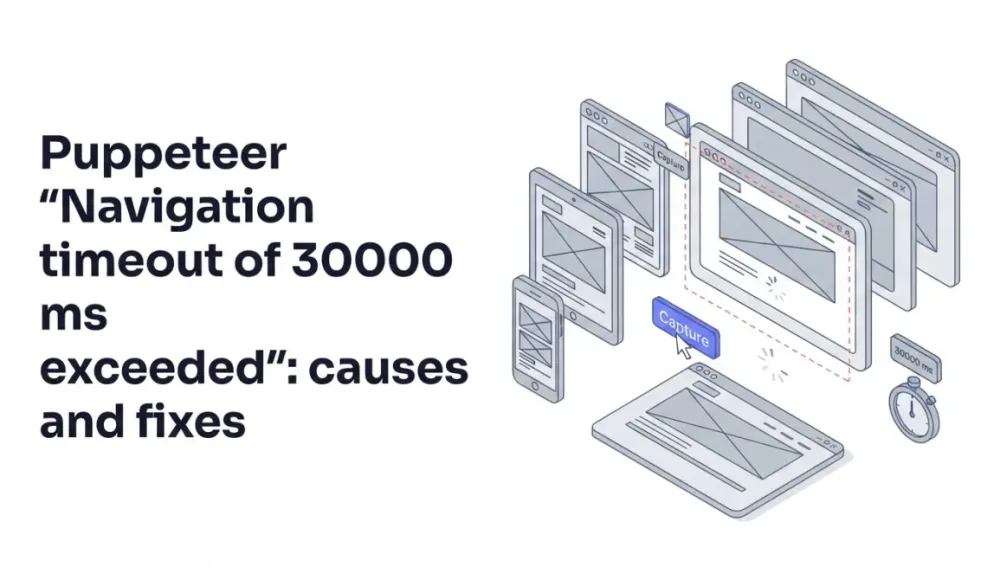
Navigation timeout of 30000 ms exceeded rarely happens because the page is actually that slow. Nine times out of ten, the real problem is that the waiting condition Puppeteer picked never gets satisfied in the first place, not that 30 seconds wasn't enough.
This error has at least five distinct causes, and each one needs its own fix. I'll walk through them in order, from the most common to the least obvious.
What this error actually means
First, an important distinction: Navigation timeout is not a browser timeout, and it's not a network timeout. It applies specifically to Puppeteer's navigation methods: page.goto(), page.waitForNavigation(), page.reload(). The default value is 30000 ms (30 seconds), and you can change it globally with page.setDefaultNavigationTimeout() or pass it directly into the call.
But just bumping the timeout to 60 seconds is treating the symptom, not the cause. In most cases, Puppeteer doesn't fail because the page is actually that slow. It fails because the chosen waitUntil condition never gets met. Your fix has to start there.
page.goto() takes four waitUntil options:
load: wait for theloadevent (page and all resources fully loaded)domcontentloaded: wait until the DOM is built; resources may still be downloadingnetworkidle0: wait until there are no network requests for 500 ms straight (zero active requests)networkidle2: same idea, but allows up to two active requests
By default it's load. Sounds safe, but on modern sites with long-lived WebSocket connections, analytics, and chat widgets, load may never fire. That's when the timeout hits.
Here are the five causes I've actually run into.
Cause 1: networkidle0 on a real-world site
This is cause number one. I've seen it on sites where everything should have loaded in a couple of seconds.
What happens is this: a developer sets waitUntil: 'networkidle0', thinking it's the most "honest" option, expecting to wait until everything is definitely loaded. But every modern site keeps at least one request open at all times. Google Analytics pings every few seconds, Intercom holds a WebSocket for chat, Hotjar records user actions. The condition "zero active requests for 500 ms straight" never gets satisfied. Puppeteer waits the full 30 seconds and times out.
Almost always you want networkidle2 or domcontentloaded:
// Fails on sites with analytics and chat widgets
await page.goto(url, { waitUntil: 'networkidle0', timeout: 30000 });

// Works in most cases
await page.goto(url, { waitUntil: 'networkidle2', timeout: 30000 });

// Fastest and most reliable, if you then wait for a specific element
await page.goto(url, { waitUntil: 'domcontentloaded', timeout: 30000 });
await page.waitForSelector('.main-content', { timeout: 10000 });
I now mostly use domcontentloaded plus an explicit selector wait for the element I actually need. That gives me control: I know what I'm waiting for. If you want to dig deeper, I covered this topic in detail in my post on properly waiting for page load before screenshots.
Cause 2: a slow server and a default timeout that's too short
This one is simpler. Some sites are just slow. Old PHP backends, heavy SSR on Next.js without caching, bad hosting somewhere in India. 30 seconds really isn't enough for them, especially on a cold cache.
There are exactly two ways to confirm this is your case. The first is to open the site in a regular Chrome and see how long it takes. If it's 8–10 seconds, a 30-second timeout should be plenty, and speed isn't the problem. If it's 20+ seconds, then yes, you need to bump it.
Another way is to add logging:
const start = Date.now();
page.on('response', (response) => {
  console.log(`${Date.now() - start}ms: ${response.status()} ${response.url()}`);
});

await page.goto(url, { waitUntil: 'domcontentloaded', timeout: 60000 });
When I first tried this on a Latvian e-commerce site, it turned out the main HTML was coming back after 18 seconds. No waitUntil tweak helps you there. You just need to raise the timeout.
You can raise it for a single call, or globally for all navigations on a page:
// For one call
await page.goto(url, { timeout: 60000 });

// For the whole page
page.setDefaultNavigationTimeout(60000);

// Disable timeout entirely — I don't recommend it, you'll hang forever
page.setDefaultNavigationTimeout(0);
I wouldn't pass 0 in production. Yes, it makes the error go away, but if the site actually hangs, your worker will hang with it indefinitely and block the queue.
Cause 3: lazy-loaded resources that never finish loading
This cause mutates out of the first one. Modern sites load images and widgets as you scroll: Intersection Observer, intersection-based lazy loading. If the page hasn't been scrolled, those resources haven't even started downloading. And some trackers fire new requests on every user action, so networkidle0 never settles, again.
For screenshots, this is especially painful. You call page.goto(), then page.screenshot({ fullPage: true }), and you get a half-empty image where half the page is gray placeholders instead of real content.
Fixing this has two parts: scroll the page all the way down to trigger lazy loading, then wait for the images to actually finish downloading:
async function autoScroll(page) {
  await page.evaluate(async () => {
    await new Promise((resolve) => {
      let totalHeight = 0;
      const distance = 100;
      const timer = setInterval(() => {
        const scrollHeight = document.body.scrollHeight;
        window.scrollBy(0, distance);
        totalHeight += distance;
        if (totalHeight >= scrollHeight) {
          clearInterval(timer);
          resolve();
        }
      }, 100);
    });
  });
}

await page.goto(url, { waitUntil: 'domcontentloaded', timeout: 30000 });
await autoScroll(page);
await page.evaluate(() => window.scrollTo(0, 0));
await new Promise((r) => setTimeout(r, 1000));
I scroll down, then go back to the top (this matters for full-page screenshots, because otherwise you can catch an unexpected layout state), and give it a second for a final repaint. I covered this case in full in my separate post about lazy loading and blank images on screenshots, where you'll find more advanced versions of this script.
Cause 4: the site detects the headless browser and blocks it
This isn't quite about navigation timeout, but the symptoms look identical. page.goto() hangs and times out. What's really happening during those 30 seconds is one of these:
- the site returned a captcha page that never "finishes loading" in any meaningful sense
- it's stuck in an endless redirect between a cookie check and the main page
- it returns a 403 after a short delay, but Puppeteer treats this as a valid navigation
Cloudflare, PerimeterX, DataDome: all of them detect headless Chromium through a dozen signals: navigator.webdriver, missing plugins, a suspicious User-Agent, missing fingerprints. Your goto() either never completes, or completes on a "Checking your browser..." page.
Fastest way to check whether this is your case is to run with headless: false and see what's actually showing up on screen:
const browser = await puppeteer.launch({ headless: false });
const page = await browser.newPage();
await page.setUserAgent('Mozilla/5.0 (Macintosh; Intel Mac OS X 10_15_7) AppleWebKit/537.36 (KHTML, like Gecko) Chrome/120.0.0.0 Safari/537.36');
await page.goto(url, { waitUntil: 'domcontentloaded', timeout: 30000 });
If you see a captcha in the visible window, the diagnosis is confirmed. From there, you either install puppeteer-extra-plugin-stealth, manually patch fingerprints, or use residential proxies. It's a big topic on its own. I broke it down in my post on stealth patches for headless Chromium, including the specific fingerprints you need to replace.
Cause 5: resource leaks and uncleaned browser instances
This cause shows up at scale. One screenshot works fine. A hundred a day works fine. A thousand an hour, and timeouts start cropping up out of nowhere, and unpredictably.
What usually happens: somewhere in the code, browser.close() or page.close() doesn't get called because of an exception. Zombie Chromium instances stay in memory, eat RAM, slow the system down. New page.goto() calls hit timeouts not because the page is slow, but because the system is out of resources.
To fix this, two rules I always apply:
// Rule 1: always close via try/finally
async function takeScreenshot(url) {
  let browser;
  try {
    browser = await puppeteer.launch();
    const page = await browser.newPage();
    await page.goto(url, { waitUntil: 'domcontentloaded', timeout: 30000 });
    return await page.screenshot();
  } finally {
    if (browser) {
      await browser.close();
    }
  }
}

// Rule 2: only use --single-process if you really know what you're doing
// and only --no-sandbox in Docker or CI
const browser = await puppeteer.launch({
  args: ['--no-sandbox', '--disable-setuid-sandbox', '--disable-dev-shm-usage'],
});
That --disable-dev-shm-usage flag is especially important in Docker. By default Chrome uses /dev/shm for shared memory, but in containers that partition is often only 64 MB, which is not enough. So the browser starts crashing or hanging. This flag switches Chrome to /tmp, and the problem goes away.
I'd also recommend reusing one browser instance for multiple pages instead of launching a new browser for every screenshot. Booting Chromium takes about a second plus 200+ MB of memory. At volume, that adds up to a real overhead:
const browser = await puppeteer.launch();

// Multiple screenshots on a single browser
for (const url of urls) {
  const page = await browser.newPage();
  try {
    await page.goto(url, { waitUntil: 'domcontentloaded', timeout: 30000 });
    await page.screenshot({ path: `${url}.png` });
  } finally {
    await page.close();
  }
}

await browser.close();
Calling page.close() after each screenshot matters. Otherwise tabs accumulate and eat memory.
A short debugging checklist
When I hit this error in new code, I go through it in this order. First I check what waitUntil is set to. If it's networkidle0, I switch it to networkidle2 or domcontentloaded plus an explicit waitForSelector. If that doesn't help, I open the site in a regular browser and look at the actual load time, and maybe I just need to bump the timeout to 60 seconds. Next I check lazy loading: if the page is image-heavy, I add the auto-scroll. If the timeout is still there, I run with headless: false and look at what's actually rendering, to rule out a block. And only if none of that worked, I go look at memory leaks and the server's resource state.
Nine times out of ten, the issue is solved in the first two steps. If you're building on top of an API instead, the wait-for-selector feature handles the timing automatically.
Tired of debugging timeouts? Offload the browser
I built screenshotrun after spending too many hours chasing down these exact timeout issues across different projects. It picks the right waiting strategy on its own, retries blocked pages by rotating fingerprints, and reuses a browser pool, so everything I described above happens automatically on the API side:
const response = await fetch(
  'https://api.screenshotrun.com/v1/screenshots/capture?url=https://example.com',
  { headers: { Authorization: 'Bearer YOUR_API_KEY' } }
);
const buffer = await response.arrayBuffer();
A free tier covers 200 screenshots a month, which is enough for testing and small projects. If you're curious about the broader trade-off, specifically when it makes sense to run your own Puppeteer server versus when a hosted API is the better call. I went into that in my post on build vs buy.
Navigation timeout is an error with a dozen possible causes, and there's no universal fix for it. But one rule covers a lot of ground: domcontentloaded plus an explicit wait for the element you actually need is almost always better than networkidle0. The rest is specifics: lazy loading, anti-bot defenses, leaks in production. Each gets solved separately, and I tried to put everything that worked for me into this article.
If you're just getting started with Puppeteer and this article felt dense, I have a more introductory piece on Node.js screenshots that walks through the basic setup from scratch.
Thanks for reading.
Frequently Asked Questions
Usually because the waitUntil condition never gets satisfied, not because the page is slow. For example, networkidle0 waits for zero active network requests for 500 ms, but modern sites keep analytics pings, WebSocket connections, and chat widgets running constantly. That condition is never met, so Puppeteer waits the full 30 seconds and gives up.
networkidle0 waits until there are zero active network requests for 500 ms. networkidle2 allows up to two active requests. On real websites with analytics, chat widgets, or WebSocket connections, networkidle0 almost never resolves. Use networkidle2 or, better yet, domcontentloaded combined with an explicit waitForSelector for the element you actually need.
Pass a timeout value in milliseconds directly to page.goto(): page.goto(url, { timeout: 60000 }). For a global setting that applies to all navigation calls on a page, use page.setDefaultNavigationTimeout(60000). Avoid setting it to 0 (no timeout) in production, because a genuinely hanging page will block your worker indefinitely.
Possible. Cloudflare, PerimeterX, and DataDome detect headless Chrome and can serve a "Checking your browser" page, a captcha, or an infinite redirect loop. Run with headless: false and look at what actually renders. If you see a challenge page, you'll need stealth patches (puppeteer-extra-plugin-stealth) or residential proxies.
Always close the browser in a try/finally block so it shuts down even when an exception occurs. Reuse one browser instance for multiple pages instead of launching a new one each time. In Docker, add --disable-dev-shm-usage to Chrome launch arguments — the default shared memory partition is often too small, causing crashes that look like timeouts.

How to handle screenshot API responses in production
A 200 OK from a screenshot API doesn't mean you got a screenshot — the transport and render layers fail independently. Which status codes to retry and which not, backoff with jitter, respecting Retry-After, catching blank images that pass as a 200, and a circuit breaker. Node.js code throughout.
Read more →
Screenshot API rate limiting strategies in production
Most rate limiting guides only cover retry strategies. That's only half the problem. Five concrete strategies — proactive (token bucket, queue) and reactive (Retry-After, exponential backoff, circuit breaker) — with Node.js code.
Read more →
Headless Chrome "net::ERR_CONNECTION_REFUSED" in Docker: causes and fixes
ERR_CONNECTION_REFUSED in headless Chrome inside Docker isn't one error — it's five different network problems sharing the same message. Diagnose with one curl from inside the container, then fix per cause.
Read more →