
 Vitalii Holben
Puppeteer "Protocol error (Page.captureScreenshot): Target closed": causes and fixes
Puppeteer's "Protocol error (Page.captureScreenshot): Target closed" almost always means Chromium crashed during the actual rendering — not before, not after. Here are the five real causes and how to fix each.
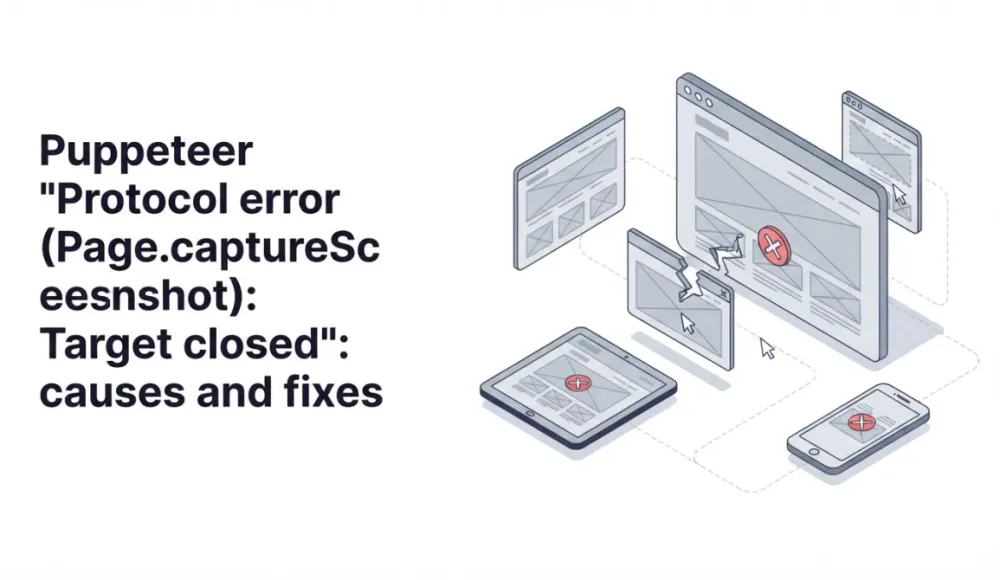
Protocol error (Page.captureScreenshot): Target closed is a narrow, specific Puppeteer error. Unlike Navigation timeout or Target page, context or browser has been closed, it doesn't fail somewhere in your code. It fails at the exact moment page.screenshot() is called. And almost always it means one thing: Chromium crashed during the rendering itself.
That narrows the diagnosis. If this is your error, the problem isn't navigation, it isn't your code's lifecycle, and it isn't the site's anti-bot defenses. It's the screenshot capture itself, and there are exactly five reasons it happens.
If you're using Playwright instead of Puppeteer and you have a similar-looking Target page, context or browser has been closed message, that's a different error, and I covered it separately in my post on the Playwright Target closed error. Everything below is strictly about Puppeteer.
Why the error is called "Protocol error"
Puppeteer doesn't have its own custom API for talking to Chromium. It talks through CDP (Chrome DevTools Protocol, the same protocol DevTools uses to talk to the browser). When you call page.screenshot(), Puppeteer internally sends the CDP command Page.captureScreenshot, waits for a reply, and returns the result.
"Protocol error" means the command went out to the browser, but no reply came back, because the target (the specific page Chromium was supposed to render) disappeared from underneath. In practice, this almost always means the Chromium process itself died while the command was running. Not before, not after, but right in the middle of it.
Here are the five real reasons it happens.
Cause 1: viewport or clip is too large and Chromium crashes with OOM
This is the first and most common cause. It's well-documented. A historical Puppeteer issue (#2255) on GitHub from 2018 discussed this exact problem, and the behavior hasn't changed much since.
What happens: you pass big dimensions to page.screenshot() through viewport, through clip, or through fullPage: true on a very long page. Chromium tries to allocate a buffer for the image at that size, hits a memory limit, and crashes. Puppeteer loses its CDP connection and throws a Protocol error.
// Dangerous dimensions — Chromium crashes
await page.setViewport({ width: 10000, height: 50000 });
await page.screenshot({ deviceScaleFactor: 4 });

// 10000 × 50000 × 4² × 4 bytes (RGBA) = ~32 GB needed for the buffer
deviceScaleFactor: 4 is the trickiest detail here. It multiplies each side by 4, but the buffer size grows by 16x. A lot of people don't realize this and set deviceScaleFactor to 4 to get retina quality, not understanding that this turns 1920x1080 into the rendering equivalent of 7680x4320.
A basic fix is to keep dimensions in check:
// Safe configuration
await page.setViewport({
  width: 1920,
  height: 1080,
  deviceScaleFactor: 2  // 2 is enough for retina
});
If a page is long enough that fullPage: true fails on memory, there's a tiled-screenshot trick. Instead of one frame, you take several across the page height and stitch them together:
async function tiledScreenshot(page, tileHeight = 4000) {
  const totalHeight = await page.evaluate(() => document.body.scrollHeight);
  const width = await page.evaluate(() => document.body.scrollWidth);
  const tiles = [];

  for (let y = 0; y < totalHeight; y += tileHeight) {
    const height = Math.min(tileHeight, totalHeight - y);
    const buffer = await page.screenshot({
      clip: { x: 0, y, width, height },
    });
    tiles.push(buffer);
  }

  return tiles; // stitch them together later, e.g. via sharp
}
I scroll through the page in chunks of 4000 pixels, take a separate screenshot for each one with an explicit clip, then stitch the result with sharp or ImageMagick. It's slower than fullPage: true, but it works on pages of any length. If you're also dealing with lazy-loading issues on long pages, there are adjacent quirks I covered in my post on lazy loading and blank images.
Cause 2: a dialog or alert blocks CDP
This case is less obvious. If alert(), confirm(), or prompt() fires on the page, Chromium shows a modal dialog and blocks all CDP commands until something dismisses it. Your page.screenshot() goes out to the browser, the dialog blocks it, the timeout hits, and you get a Protocol error.
In headless mode, you'll never see the dialog. Some script on the page is calling alert, you don't know about it, and the screenshot just refuses to work without a visible reason.
Register a dialog handler before the page starts loading:
const page = await browser.newPage();

// Must be BEFORE page.goto, otherwise you'll miss any early dialog
page.on('dialog', async (dialog) => {
  console.log(`Dismissing ${dialog.type()}: ${dialog.message()}`);
  await dialog.dismiss();
});

await page.goto(url);
await page.screenshot();
I prefer dismiss() over accept(), because accept can trigger something unwanted on the page (a form submit, a redirect). Dismiss is more neutral.
A simple way to confirm whether this is your case: run with headless: false and watch for a dialog showing up visually. If one appears, the diagnosis is confirmed.
Cause 3: Chromium crashes in Docker due to memory and shm
This is a system-level problem, and it overlaps with similar cases I've covered in other posts, but the angle here is different. In Docker, Chromium often crashes not during page.goto() but specifically during page.screenshot(), because capturing an image is the most memory-intensive operation in the page's entire lifecycle.
What happens:
- by default,
/dev/shmin containers is 64 MB - Chrome uses shared memory for raster operations, including screenshots
- a large frame needs more memory than shm has available
- Chromium dies with a segfault, CDP loses its target
Baseline launch flags that fix this:
const browser = await puppeteer.launch({
  args: [
    '--no-sandbox',
    '--disable-setuid-sandbox',
    '--disable-dev-shm-usage',
    '--disable-gpu',
  ],
});
--disable-dev-shm-usage switches Chrome to /tmp instead of /dev/shm, and that's the most important one. I covered this same flag in more detail in my post on Puppeteer Navigation timeout. It shows up there for a different reason, but the fix is the same.
One more thing that helps with diagnosis is enabling dumpio. With it, Chromium's stdout/stderr gets piped into the Node.js process, and you see the real cause of the crash instead of an abstract Protocol error:
const browser = await puppeteer.launch({
  dumpio: true,  // shows real Chromium messages
  args: ['--no-sandbox', '--disable-dev-shm-usage'],
});
Logs often show something like fatal error: out of memory or SkBitmap: tryAllocPixels failed, and from there it's immediately clear the cause is memory rather than something else.
Cause 4: the page closed before the screenshot finished
This is a race condition. It hits especially often on long pages with fullPage: true, because that kind of screenshot doesn't finish instantly. Chromium scrolls the page, renders sections, and stitches the result. That takes seconds, not milliseconds.
If something calls page.close() or browser.close() in that window, a Protocol error is guaranteed.
// Dangerous pattern
const screenshotPromise = page.screenshot({ fullPage: true });
await page.close();  // ← closed the page before screenshot finished
const buffer = await screenshotPromise;  // Protocol error
In real code, this rarely looks this obvious. More often, the close happens in a finally, in another operation's error handler, or in a timer that fires mid-screenshot:
// Also dangerous — the timeout closes the page before screenshot finishes
const timer = setTimeout(() => page.close(), 10000);
const buffer = await page.screenshot({ fullPage: true });
clearTimeout(timer);
Wait for the screenshot to fully settle before any close:
let buffer;
try {
  buffer = await page.screenshot({ fullPage: true });
} finally {
  // Close only after the screenshot has definitely finished
  await page.close();
}
And if you have a batch with parallel screenshots, give each page its own timeout on the screenshot operation itself, not a shared timer for closing. Lifecycle subtleties here are the same as the ones I covered in my post on Playwright Target closed. The patterns work in Puppeteer too.
Cause 5: stale page handles after puppeteer.connect()
This case is specific and rarer, but worth knowing. If you use puppeteer.connect() to attach to a remote Chrome (a CI runner, a browserless service, headless-shell in Kubernetes), and then fetch pages via browser.pages(), there's a chance you'll get back handles for pages that have already closed on the browser side.
With those handles, page.screenshot() fails immediately with Protocol error, even though at first glance the page "is there":
const browser = await puppeteer.connect({ browserWSEndpoint });
const pages = await browser.pages();

// Any of these may already be dead
for (const page of pages) {
  try {
    await page.screenshot();  // may throw Protocol error
  } catch (err) {
    if (err.message.includes('Target closed')) {
      console.log('Stale page handle, skipping');
      continue;
    }
    throw err;
  }
}
It's safer not to trust browser.pages() and to create a fresh page through browser.newPage() instead. That removes a whole class of stale-handle problems, and in most scenarios you actually want a new page rather than an existing one. And if you're connecting to remote Chrome through a managed service in the first place, that's the moment to stop and ask which is cheaper to maintain: your own headless cluster with all these gotchas, or a ready-made API.
A debugging checklist
When I see Protocol error (Page.captureScreenshot): Target closed in new code, I always start with one thing: turn on dumpio: true and look at what Chromium writes to stderr right before the crash:
const browser = await puppeteer.launch({ dumpio: true });That's the fastest way to separate the causes. From there, the logic is simple. If the logs show out of memory or tryAllocPixels failed, go to Cause 1 (large viewport/clip) or Cause 3 (Docker shm). If the logs are completely silent and the crash happened with no visible reason, most likely Cause 4 (page closed before screenshot) or Cause 2 (dialog blocking CDP). If you're working through puppeteer.connect(), Cause 5.
If dumpio gave you nothing useful, the second step is to try headless: false and watch with your own eyes. A modal dialog becomes visible immediately, and so does a crash.
If your error message says "browser has disconnected" instead of a protocol error on a specific method, that's the Chrome process dying entirely — the browser disconnected post covers those causes.
Protocol errors disappear when you stop managing Chrome
I built screenshotrun precisely so I wouldn't have to debug Protocol errors on every release. Under the hood, it keeps Chromium's memory configuration with headroom, intercepts dialogs automatically, caps viewport sizes to safe values, and switches to tiled rendering for very long pages. Every cause from this article is handled server-side, so none of it surfaces on the client:
const response = await fetch(
  'https://api.screenshotrun.com/v1/screenshots/capture?url=https://example.com',
  { headers: { Authorization: 'Bearer YOUR_API_KEY' } }
);
const buffer = await response.arrayBuffer();
Protocol error (Page.captureScreenshot): Target closed looks mysterious right up until the moment you see what Chromium wrote to stderr. After that it gets boring and clear: either you asked for too big a frame, or you ran out of shared memory, or the page closed before CDP could reply. No universal fix exists, but dumpio: true narrows the search to one specific cause within a minute.
Fix "Could Not Find Expected Browser (Chrome) Locally" in Puppeteer
Puppeteer cannot find Chrome? Fix the "could not find expected browser locally" error in Docker, CI/CD, serverless, monorepos, and local development.
Read more →
Fix Puppeteer "Browser Has Disconnected" Error (All Causes)
Read more →
Why Instagram Breaks Your Screenshots (And How to Fix It with Playwright)
Instagram shows two login popups, triggers React re-renders when you hide them wrong, and locks scrollHeight to the viewport. Three problems, three fixes for Playwright and Puppeteer.
Read more →