
 Vitalii Holben
How to take screenshots of single-page applications (SPAs) correctly
SPAs break screenshot tools in their own way — content rendering across several phases, networkidle that never settles, hydration mismatches. Here are the five common problems and how to fix each.
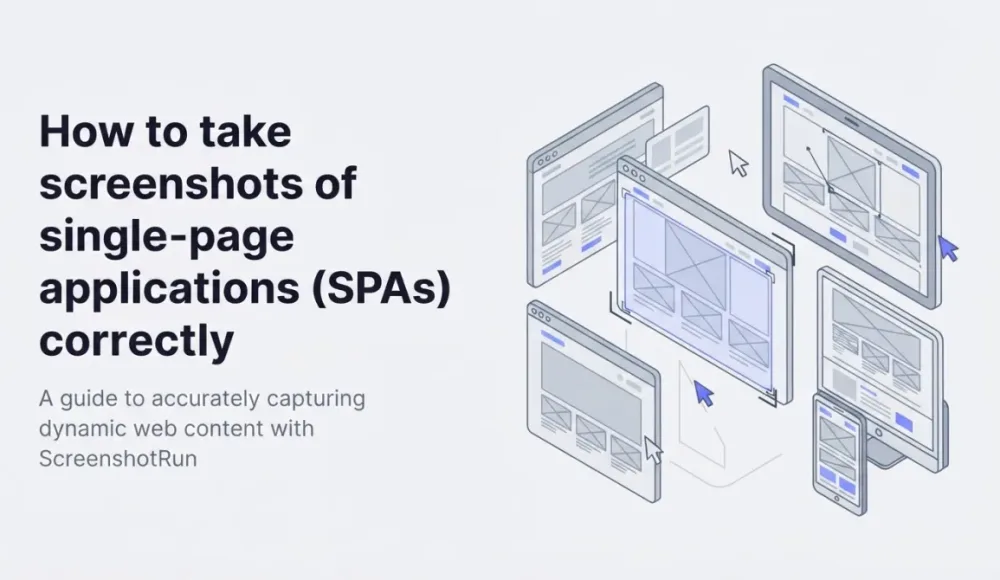
SPAs break screenshot tools in their own particular way. Not the way slow sites do, and not the way sites with anti-bot defenses do. They have their own set of reasons why page.screenshot() returns something other than what you expected, and those reasons don't overlap with what most screenshot guides cover.
On a static site, the HTML arrives from the server fully formed: you call goto, wait for the load event, take the screenshot, and the image shows exactly what a person would see in the browser. On an SPA, the initial HTML is almost always an empty container like <div id="root"></div>, and all the visible content is rendered by JavaScript after mount. The headless browser has technically "loaded the page," but visually there might be nothing on it at all.
Below are five common SPA screenshot problems I've run into across different projects, and how to fix each. For each problem, I'll show both Puppeteer and Playwright, where they differ.
Problem 1: the screenshot catches a loader or skeleton
This is the one I hit most often. The script calls goto, waits for the standard load event, takes a screenshot, and the image shows a spinner or gray placeholder blocks instead of actual content.
This happens because load fires as soon as the HTML, JS bundle, and core resources are downloaded. But React, Vue, or Angular have only just started initializing at that point. After that, they render a loading state, fire off their first fetches, wait for responses, and only then paint the real UI.
The fix is conceptually simple but requires knowing the page itself. You wait for a specific selector that only appears after the data has fully loaded:
// Puppeteer
await page.goto(url, { waitUntil: 'domcontentloaded' });
await page.waitForSelector('[data-loaded="true"]', { timeout: 15000 });
await page.screenshot();

// Playwright
await page.goto(url);
await page.waitForSelector('[data-loaded="true"]', { timeout: 15000 });
await page.screenshot();
I prefer waitUntil: 'domcontentloaded' plus an explicit waitForSelector over networkidle0, because networkidle0 works poorly on SPAs (more on that in Problem 4). If the target site doesn't have an attribute like data-loaded, you can wait for any element that's guaranteed to appear only after the data has loaded: a heading, a button, a specific class. I covered the various waiting strategies in more detail in my post on properly waiting for page load before screenshots. If you want to skip the manual waiting logic entirely, ScreenshotRun's wait_for_selector parameter handles this at the API level.
Problem 2: hydration mismatch on SSR frameworks
This case is specific to Next.js, Nuxt, Remix, and other frameworks with server-side rendering. They have two phases: the server returns already-rendered HTML with content, and then the client "hydrates" that HTML, attaches event handlers and wires up reactivity. That process is called hydration.
Between those two phases, there's often a small re-render: a date that was UTC on the server flips to the client's local timezone; a button switches from disabled to enabled; the layout shifts slightly because of client-only components. If you take a screenshot right at the moment of hydration, the image can show an intermediate state: partly the server layout, partly the client one.
A reliable fix is to add a post-hydration marker on the page. This needs to happen on the site side: after useEffect or its equivalent, set an attribute on <html> or <body>:
// On the SPA side (once, in the root component)
useEffect(() => {
  document.documentElement.setAttribute('data-hydrated', 'true');
}, []);

// In the screenshot script
// Puppeteer
await page.goto(url);
await page.waitForFunction(
  () => document.documentElement.dataset.hydrated === 'true',
  { timeout: 15000 }
);
await page.screenshot();

// Playwright (same idea, slightly shorter syntax)
await page.goto(url);
await page.waitForFunction(
  () => document.documentElement.dataset.hydrated === 'true'
);
await page.screenshot();
If you don't control the site and can't add an attribute, here's a trick that works for Next.js. Wait until __NEXT_DATA__ appears on window and all elements with skeleton-related classes are gone:
await page.waitForFunction(() => {
  const hasNextData = !!window.__NEXT_DATA__;
  const noSkeletons = document.querySelectorAll('[class*="skeleton"]').length === 0;
  return hasNextData && noSkeletons;
});
For Nuxt, the equivalent marker is window.__NUXT__. For Remix, it's window.__remixManifest. This isn't a perfect solution, because not every project uses a skeleton class, but it gives a decent baseline signal that hydration has finished.
Problem 3: client-side routing returns the wrong page
SPAs with client-side routers (React Router, Vue Router) handle navigation inside the browser, without hitting the server. If you open https://app.example.com/products/123 directly, there's a chance the server doesn't even know about that route, so it'll return either a 404 or just index.html, which then redirects to somewhere on the home page.
Symptom: you take a screenshot of a specific inner page, and you get the home page or a 404 instead.
The first thing to check is whether the site has a proper server fallback. Most production SPAs are set up so that any URL returns index.html, and the client-side router decides what to show from there. If you don't control the site, open the target URL in an incognito window and see what shows up. If it's the same home page, the server fallback isn't configured, and a one-shot screenshot isn't possible.
In that case, the way around it is to take the screenshot in two steps: first navigate to the root, then programmatically push to the right path through the client-side router:
// Puppeteer / Playwright (identical)
await page.goto('https://app.example.com/');
await page.evaluate(() => {
  window.history.pushState({}, '', '/products/123');
  window.dispatchEvent(new PopStateEvent('popstate'));
});
await page.waitForSelector('[data-product-id="123"]');
await page.screenshot();
This trick doesn't work with every router. Some listen for popstate, others require an explicit router.push() call through their own API. For React Router, you can grab the router instance through window.__REACT_ROUTER__, if the app exports it. The code is fragile, and I only use it when there's no other way.
Problem 4: data fetched through useEffect or React Query
This problem is similar to the first one, but it shows up on the next phase. The component is already mounted, the DOM is built, the framework has done its job, but useEffect or a hook like useQuery is still waiting for an API response. The image shows another empty state or stale cached data.
This is where networkidle0 works especially poorly, for two reasons. First, modern pages typically keep persistent WebSockets or polling alive, which prevents networkidle from triggering at all (I wrote about this in my post on Puppeteer Navigation timeout). Second, even if networkidle does fire, there are a few milliseconds between when the fetch completes and when the data appears in the DOM, and the screenshot lands in that gap.
Your best bet is to wait for a specific response, not a general network state:
// Puppeteer
await page.goto(url, { waitUntil: 'domcontentloaded' });
await page.waitForResponse(
  (response) => response.url().includes('/api/products') && response.status() === 200
);
await page.waitForSelector('.product-list');
await page.screenshot();

// Playwright (more concise)
await page.goto(url);
await Promise.all([
  page.waitForResponse(/\/api\/products/),
  page.waitForSelector('.product-list'),
]);
await page.screenshot();
I usually combine waitForResponse (to confirm data came back from the server) with waitForSelector (to confirm the component had a chance to render). That gives a double guarantee, and it almost never fails in production.
Problem 5: the page is auth-protected and redirects to /login
A lot of SPAs check for an auth token in localStorage or cookies on startup, and if it's missing, they redirect to /login. The screenshot catches the login form instead of the target screen.
The fix depends on where the SPA stores its session. For apps with a cookie-based session, you set the cookie before goto:
// Puppeteer
await page.setCookie({
  name: 'session_token',
  value: 'YOUR_SESSION_TOKEN',
  domain: 'app.example.com',
  path: '/',
});
await page.goto('https://app.example.com/dashboard');

// Playwright
await context.addCookies([{
  name: 'session_token',
  value: 'YOUR_SESSION_TOKEN',
  domain: 'app.example.com',
  path: '/',
}]);
await page.goto('https://app.example.com/dashboard');
If the SPA stores its token in localStorage, you need to put it there before the page starts loading. That's done through page.evaluateOnNewDocument in Puppeteer or context.addInitScript in Playwright:
// Puppeteer
await page.evaluateOnNewDocument(() => {
  localStorage.setItem('auth_token', 'YOUR_TOKEN');
});
await page.goto('https://app.example.com/dashboard');

// Playwright
await context.addInitScript(() => {
  localStorage.setItem('auth_token', 'YOUR_TOKEN');
});
await page.goto('https://app.example.com/dashboard');
Worth noting: both methods set the values before any script on the page runs, so when the SPA initializes, it sees the token and doesn't bounce to /login. If you set localStorage after goto, it's too late. The auth check has already fired. I covered adjacent cases (HTTP basic auth, headers) in my separate post on screenshots of password-protected pages. For a broader look at auth-protected screenshots as a use case, see the screenshot behind login page.
How to tell whether it's actually an SPA problem
The symptoms sometimes overlap with lazy loading, slow networks, or anti-bot defenses, and it's not obvious which way to dig. A few quick checks help.
In DevTools → Elements, look at the source HTML. If there's almost nothing in there besides <div id="root">, <div id="app">, or <div id="__next">, you're dealing with an SPA, and the content is rendered client-side. If the HTML already contains all the content, it's either a regular server-rendered page or an SSR framework, and that puts you in Problem 2 territory with hydration.
Next, Network tab → filter by XHR/Fetch. If API requests fire after page load and content only shows up after them, you're in Problem 1 or 4. If content only appears as you scroll, with no new network requests, that's image lazy loading, which I covered in a separate post on lazy loading, a different case. For full-page captures that handle this automatically, see the full-page screenshot feature.
Last quick test: open the page with JavaScript disabled. If it's blank, it's definitely an SPA, and you can't take a screenshot without playing out the JS scenario.
SPA rendering is solved at the API level
All the wait logic above is already built into screenshotrun's API. It exposes wait_until, delay, wait_for_selector, and wait_for_event parameters, so those manual waitFor chains collapse into a single HTTP request:
const params = new URLSearchParams({
  url: 'https://app.example.com/dashboard',
  wait_for_selector: '.product-list',
  delay: '2',
});

const response = await fetch(
  `https://api.screenshotrun.com/v1/screenshots/capture?${params}`,
  { headers: { Authorization: 'Bearer YOUR_API_KEY' } }
);
const buffer = await response.arrayBuffer();
You can also set custom viewport dimensions per request to match the exact device your users see. This becomes useful when you need to screenshot thousands of different SPAs, each with their own selectors and timing. Maintaining an individual Puppeteer script for each turns into a project of its own. Through the API, that complexity moves to the request parameters.
SPAs make life more interesting. Content arrives across several phases, networkidle is nearly useless on them, and every page needs its own selectors and readiness signals. There's no universal script that screenshots every SPA equally well. But if you know the five problem types from this article and have waitForSelector and waitForResponse in your toolkit, most cases get solved within a couple of attempts.
You can try ScreenshotRun free and test SPA rendering with your own URLs. Pricing starts low enough that it beats maintaining Puppeteer infrastructure for most teams.
If you're just getting started with screenshots and this article felt dense, I have a more introductory post on Node.js screenshots that walks through the basic setup from scratch.
Frequently Asked Questions
SPAs render content client-side after JavaScript initializes. The standard load event fires before React, Vue, or Angular paint the UI. Use waitForSelector on a content element instead of relying on networkidle or load events.
SSR frameworks have a hydration phase where server HTML gets replaced by client-rendered content. Wait for a post-hydration marker (a data attribute set in useEffect) or check for framework globals like window.NEXT_DATA before capturing.
If the server returns 404 for deep links, navigate to the root first, then use page.evaluate to call history.pushState and dispatch a popstate event. This triggers the client-side router to render the correct view.
SPAs often maintain persistent WebSocket connections, analytics pings, or polling requests that prevent the network from ever going fully idle. Use waitForSelector or waitForResponse on a specific API call instead.
Set cookies with page.setCookie before goto, or inject localStorage tokens via page.evaluateOnNewDocument. Both methods run before any page script executes, so the SPA sees the auth token on initialization and skips the login redirect.
Fix "Could Not Find Expected Browser (Chrome) Locally" in Puppeteer
Puppeteer cannot find Chrome? Fix the "could not find expected browser locally" error in Docker, CI/CD, serverless, monorepos, and local development.
Read more →
Fix Puppeteer "Browser Has Disconnected" Error (All Causes)
Read more →
Why Instagram Breaks Your Screenshots (And How to Fix It with Playwright)
Instagram shows two login popups, triggers React re-renders when you hide them wrong, and locks scrollHeight to the viewport. Three problems, three fixes for Playwright and Puppeteer.
Read more →