
 Vitalii Holben
When a Screenshot Tells You What a Log Can't: 5 Situations That Matter
Logs record what the system did. Screenshots show what the user saw. The difference seems obvious — but a lot of teams quietly lose this information without noticing. Here are five situations in product, marketing, and client work where a screenshot gives you the answer a log simply can't.
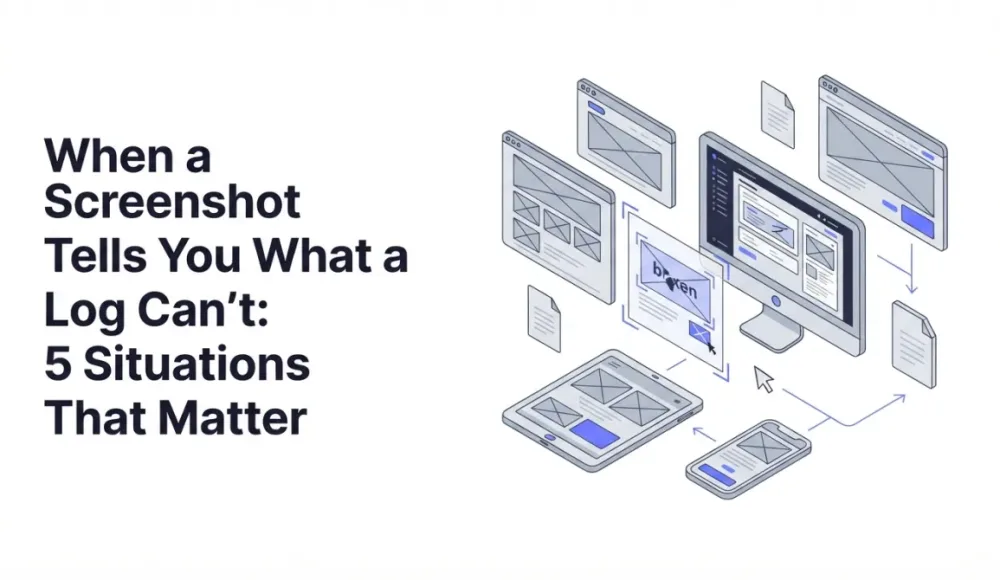
When I started building screenshotrun, I thought screenshots were mostly a developer thing: debugging, CI/CD, test automation. That's where I kept running into them, so it felt like the core use case. But the longer I work on this, the more I see people pulling the API into workflows I never designed for: product launches, marketing campaigns, legal evidence, client audits. Places where a server log doesn't actually answer the question anyone is asking.
Here's the distinction that took me a while to articulate: a log records what the system did, a screenshot shows what the user saw. It sounds obvious once you say it, but a lot of teams quietly lose this second piece of information without realizing it. Then something goes wrong, someone asks "wait, what did the page actually look like?", and there's no answer.
Below are five situations where that gap ends up mattering more than you'd expect. All of them are cases I've seen either while building screenshotrun or while talking to the people using it.
Your ad is live, but nobody checked what it looks like in a real browser
You've launched a campaign, UTMs are tagged, clicks are flowing into the dashboard, and the team is calling it a win. But here's the part that often gets skipped: nobody has actually opened that landing page in a real browser since deploy, with real CSS, real third-party scripts competing for layout, and whatever cookie banners happened to load today.
It's almost never negligence. The mockup was signed off two weeks ago, the staging build looked fine on someone's laptop, and there's no reason to doubt it. Then the live version decides to behave differently. A consent banner sits directly on top of the CTA button. A web font doesn't load and the headline renders in Times New Roman. Some third-party widget shifts the hero image 40 pixels down and pushes the offer below the fold on 13-inch laptops. The server log reports a clean 200 for every request. What the paying visitor actually saw? It won't say.
I automate this with a single GET request right after deployment. Same endpoint I use for everything else, parameters for viewport size, full-page capture, and a wait for the page to settle. What comes back is exactly what a first-time visitor sees on a fresh session. Not a status code, but a PNG you can glance at in two seconds and immediately know whether the campaign is worth its spend. For anyone already building this into a deploy pipeline, the Python screenshot tutorial walks through the batch pattern that fits this flow almost exactly.
A competitor changed their pricing page and you found out three weeks later
Competitive monitoring at most companies looks the same: someone set up a Google Alert once, there's a vague plan to check key competitors weekly that keeps sliding, and every couple of months a "has anyone looked at what they're doing?" question shows up in Slack. I know because I've done exactly this myself, and skipped it for months at a time.
The catch is that visual changes leave no trace for a scraper to catch. If a competitor quietly removes their cheapest tier, reorders their feature comparison, moves the "most popular" badge to a different plan, or swaps out the hero video for a product demo, the page still returns 200, the HTML is still there. Your scraper sees nothing unusual. The strategic signal is invisible unless someone looks at the rendered page.
A scheduled screenshot of competitor pages once a week (or once a day for the ones that matter) solves this without any parsing or DOM diffing. You're looking at the page the same way a potential customer does, and you catch positioning shifts that no automated scraper would surface. Full-page capture matters here, because pricing tables and comparison grids usually sit below the fold, which is why I wrote a separate piece on fixing blank images in full-page screenshots with lazy loading. If you're running this against a dozen competitor URLs, cache the results so you're not re-capturing unchanged pages every cycle; I covered those caching strategies in more detail in a different post.
The landing page broke on a device nobody on your team owns
Teams test on whatever's closest. Usually a recent MacBook and whichever phone the designer uses. It looks fine, so it ships. Then some user on a four-year-old Android tablet at a 768px viewport opens the page and sees a layout that quietly broke two weeks ago when someone adjusted a flexbox rule. Error rates stay flat because nothing technically errored. Bounce rate ticks up. Nobody connects the two for another month.
This is the kind of issue where a screenshot with explicit device emulation earns its keep. Set the viewport width, the user agent, the device pixel ratio in the request, and you see exactly what that user sees. The question stops being technical ("did the page return 200?") and becomes something more useful: does this actually look like a page someone would trust with their credit card? I covered the specific parameters for capturing mobile screenshots across iPhone, iPad, and Android viewports in a separate guide, including the common traps around DPR and orientation.
I'd run this before any paid campaign. You want to know the landing page works on realistic devices before you start paying to send traffic there. Setting up a handful of viewport checks takes about five minutes, and it can save a week of burning budget on a broken experience that looks fine in the office.
You need to prove what the page said last month, not what it says right now
Legal, compliance, and audit situations share one uncomfortable property: by the time you need the evidence, it's too late to create it. The record had to exist before the dispute started.
This comes up outside heavily regulated industries more often than you'd think. A SaaS company tweaks its pricing mid-billing-cycle and a customer disputes what they were promised at signup. A publisher edits an article after it's been cited in another piece, and the citation now points to something that no longer says what it used to say. A partnership agreement references specific terms on a landing page that has since been redesigned. In all three cases, someone has to answer: what did this page say on that date?
The log tells you the page loaded. The database tells you when the record was last updated. Neither captures the visual state the user actually saw at that specific moment. A scheduled screenshot with a timestamp does exactly this, and it's the cheapest insurance policy I know of for this class of problem. If you schedule daily or weekly captures of the pages that carry legal or commercial weight and store them in object storage (I use Hetzner, but S3 works the same way), you end up with a visual audit trail that makes disputes resolve in minutes instead of days. The capture side is a handful of lines. The same PHP screenshot setup I use for other workflows fits this one without changes.
Your client report has the numbers, but the client thinks in pictures
Familiar territory for anyone who's done agency or consulting work. Clients don't read tables the way consultants do. They remember what their site looked like, what the competitor's page looked like, how their search results were arranged last time they checked. Conversations about performance drift toward the visual even when you're showing them spreadsheets full of metrics.
A report that includes a screenshot of the actual search results page, the actual competitor listing, the actual above-the-fold state at the time of the audit reads differently. Not because it contains more information, but because it speaks the same language the client already thinks in. "Your product dropped from position 3 to position 7 in this SERP" lands harder when the client can see their listing pushed below a competitor with a more compelling snippet.
When capture is automated through the API, the screenshot is already saved by the time the report gets assembled, so nobody is rushing around taking manual screenshots the night before the meeting. The "can you show me what you mean?" questions drop off almost entirely, because the visual evidence is right there on the page of the report. For agencies capturing many URLs per client, the link directory thumbnail pattern is basically the same setup: you're generating a visual record of a list of URLs, just for a different audience.
What logs tell you vs. what screenshots tell you
| Situation | The log says | The screenshot says |
|---|---|---|
| Ad page after deployment | Status code, render time | What the visitor actually saw |
| Competitor page changed | Nothing (no log exists) | Visual diff before and after |
| Layout broken on a specific device | Page loaded successfully | Broken layout at that viewport |
| What the page said last month | Last-updated timestamp | Exact visual state on that date |
| Client audit report | Metrics and crawl data | Visual context the client recognizes |
If any of these scenarios hit close to home, the website change monitoring and website archiving use case pages go deeper into the automation side. In all five cases, logs and screenshots answer different questions. The log handles the technical one: what happened inside the system. The screenshot handles the human one: what the person actually saw on the other end. From what I've seen building screenshotrun and watching how people use it, it's usually the second question that ends up mattering more.
Frequently Asked Questions
Any time the issue is visual rather than functional. A consent banner covering the CTA button, a web font falling back to Times New Roman, a layout shift pushing content below the fold — the server reports a clean 200 for all of these. Only a screenshot shows what the visitor actually saw.
Schedule a weekly or daily screenshot of each competitor URL. Full-page capture works best here since pricing tables usually sit below the fold. Store the images with timestamps so you can compare them over time. No DOM parsing or scraping needed — you're looking at the page the same way a potential customer does.
They can support a claim, though their weight depends on jurisdiction. A timestamped, automated screenshot stored in immutable object storage (S3, Hetzner, etc.) carries more credibility than a manual browser capture. For anything that might matter in a dispute, capture regularly and keep an unbroken archive.
Uptime monitoring checks whether a page responds with a 200 status code. Visual monitoring captures what the page actually looks like and compares it against a baseline. A page can be "up" with a 200 response while showing a completely broken layout, a missing hero image, or a deploy that wiped the stylesheet.
It depends on how fast the target pages change. Once a day covers most marketing and competitor pages. For your own production site after deploys, capture immediately post-deployment. For legal archiving, daily or weekly captures stored long-term are the standard approach.
Fix "Could Not Find Expected Browser (Chrome) Locally" in Puppeteer
Puppeteer cannot find Chrome? Fix the "could not find expected browser locally" error in Docker, CI/CD, serverless, monorepos, and local development.
Read more →
Fix Puppeteer "Browser Has Disconnected" Error (All Causes)
Read more →
Why Instagram Breaks Your Screenshots (And How to Fix It with Playwright)
Instagram shows two login popups, triggers React re-renders when you hide them wrong, and locks scrollHeight to the viewport. Three problems, three fixes for Playwright and Puppeteer.
Read more →