screenshotrun's Page Analyze API turns any URL into structured data an LLM can actually work with. You send a URL. The API renders the page in a real browser, then returns clean markdown, a DOM tree with element coordinates, extracted forms, clickable elements — whatever format your model needs. One HTTP call replaces the usual pipeline of headless browser, HTML parser, markdown converter, and content extractor.
I built this, so factor that in. But the workflow problem is real regardless of which tool you pick: raw web pages are hostile to LLMs, and getting them into a usable format takes more plumbing than most teams expect.
Why raw HTML breaks LLM analysis
A web page's HTML source is mostly irrelevant to what you're asking the LLM to do. The visible content — the article text, the product details, the form fields — typically accounts for 10-15% of the total markup. Everything else is <head> metadata, CSS class names, JavaScript bundles, tracking pixels, navigation repeated on every page, cookie consent dialogs, analytics snippets, SVG icons base64-encoded inline.
Feed that raw HTML to Claude or GPT-4o and two things happen. First, you burn tokens on noise (covered separately in our token optimization guide). Second — and this matters more for analysis quality — the model has to separate content from chrome. A ScrapingAnt benchmark across 100 pages measured 71% accuracy on structured extraction tasks when the LLM received raw HTML, versus 89% with clean markdown. That 18-point gap came entirely from eliminating navigation, footers, ad markup.
The accuracy gap gets worse on complex pages. E-commerce listings with recommendation carousels, review widgets, "customers also bought" sections — the model picks up stray product names from sidebars and attributes them to the main product. Form-heavy pages where the actual form sits inside three layers of wrapper divs, modal containers, A/B test variants? The LLM sometimes grabs placeholder text from a hidden variant instead of the live one.
What analysis tasks work well
Once the page content is clean, LLMs handle a surprisingly broad range of analysis. Some of these run in production systems today. Others are closer to prototypes. A few areas where I've seen the clearest results.
SEO audits are probably the most common use case. Feed the extracted markdown plus the JSON DOM to an LLM and ask it to evaluate heading hierarchy, keyword density, internal link structure, whether the page has a clear H1, whether images have alt text. The DOM-to-JSON output from screenshotrun includes element coordinates — so the model can flag that your main CTA sits below the fold at 1200px vertical offset. Traditional SEO crawlers check the same things with rules. LLMs catch the stuff rules miss: "your H1 says 'Welcome' which tells the visitor nothing about the page," or "your meta description is 156 characters but the first 60 characters are your brand name, not the topic."
Accessibility checking is another strong fit. WCAG 2.1 guidelines are written in natural language, which makes them well suited for LLM evaluation. The model reads the DOM structure (heading levels, ARIA attributes, form labels, color contrast values from computed styles) and maps violations to specific WCAG criteria. An ACM 2025 paper validated this approach — LLMs caught contextual issues that rule-based scanners like axe missed entirely, like a "click here" link with no surrounding context explaining where "here" goes.
I personally use it for competitive analysis. Point the API at a competitor's pricing page, feature page, landing page, even their blog. Extract markdown. Ask Claude to compare their positioning against yours. Which features do they emphasize? What language do they use — enterprise ("scalable solution") versus developer ("just call the endpoint")? What claims do they make that you could counter? I run this against my own competitors roughly once a month. Takes about two minutes per page and surfaces things I'd miss reading the page myself because I'm too close to the product.
Content quality assessment works well too — is the writing clear? Does it answer the question the heading promises? Is the reading level appropriate for the target audience? Are there broken links or references to outdated information? LLMs give genuinely useful feedback when the input is clean markdown. With raw HTML, the model spends half its attention on the markup structure and gives shallower content feedback.
In B2B sales workflows, teams use page analysis for lead qualification. Agents crawl a prospect's website to understand what the company does, which technologies they use, how big they are, whether they fit your ideal customer profile. The markdown extraction gives you the company description and product pages. The DOM-to-JSON output with element extraction reveals their tech stack from script tags, identifies contact forms, finds team pages with employee counts.
Regulated industries have their own angle — compliance monitoring. Financial services, healthcare, insurance companies need to verify that specific disclosures appear on pages, that disclaimers use required language, that pricing displays include mandated fine print. An LLM reading clean page content can check "does the mortgage rate page include the APR disclosure within two scrolls of the headline rate?" better than a regex looking for specific strings, because the disclosure wording varies.
The extraction workflow
The actual integration is one API call before your LLM call. You choose what format to extract based on the analysis task.
For content-focused analysis (SEO, content quality, competitive intel), markdown gives you the cleanest input:
import requests, anthropic

# Step 1: Extract clean markdown from the target page
page = requests.get(
    "https://api.screenshotrun.com/v1/screenshots/capture",
    params={"url": "https://competitor.com/pricing", "render_markdown": "true"},
    headers={"Authorization": "Bearer YOUR_API_KEY"}
).text

# Step 2: Send to Claude for analysis
client = anthropic.Anthropic()
result = client.messages.create(
    model="claude-sonnet-4-20250514",
    max_tokens=2000,
    messages=[{
        "role": "user",
        "content": f"Analyze this pricing page. What tiers do they offer? "
                   f"What's included in each? What's missing compared to "
                   f"standard SaaS pricing (free trial, annual discount, "
                   f"enterprise tier)?\n\n{page}"
    }]
)
print(result.content[0].text)
For tasks that need layout awareness (accessibility audits, visual QA, above-fold checks), the DOM-to-JSON endpoint preserves element positions:
# Extract DOM with coordinates
dom = requests.get(
    "https://api.screenshotrun.com/v1/analyze",
    params={"url": "https://example.com/landing", "output": "dom_json"},
    headers={"Authorization": "Bearer YOUR_API_KEY"}
).json()

result = client.messages.create(
    model="claude-sonnet-4-20250514",
    max_tokens=2000,
    messages=[{
        "role": "user",
        "content": f"Review this page layout for accessibility issues. "
                   f"Check heading hierarchy, form labels, ARIA attributes, "
                   f"and whether interactive elements are keyboard-reachable. "
                   f"The JSON includes bounding boxes for every element.\n\n"
                   f"{json.dumps(dom, indent=2)[:8000]}"
    }]
)
For AI agents that need to interact with pages (click buttons, fill forms, follow links), the element extraction endpoints return just the interactive elements:
# Get only clickable elements with coordinates
elements = requests.get(
    "https://api.screenshotrun.com/v1/analyze",
    params={"url": "https://example.com/app", "output": "clickable_elements"},
    headers={"Authorization": "Bearer YOUR_API_KEY"}
).json()

# Agent decides which element to click based on its goal
result = client.messages.create(
    model="claude-sonnet-4-20250514",
    max_tokens=500,
    messages=[{
        "role": "user",
        "content": f"You are navigating a web application. Your goal is to "
                   f"find the account settings page. Which element should you "
                   f"click? Return the element index.\n\n"
                   f"{json.dumps(elements[:50])}"
    }]
)
Why markdown alone isn't enough
Most web-to-LLM tools stop at markdown conversion. Firecrawl, Jina Reader, Crawl4AI — they return clean text and call it done. For summarization and Q&A, that works fine. But a whole category of analysis tasks needs more than text.
Does the CTA button appear above the fold? Markdown can't tell you — it strips spatial information. Is the login form using a hidden input for CSRF protection? Markdown drops form field attributes. Are the navigation links in a logical order from left to right? Markdown linearizes them and the spatial relationship disappears.
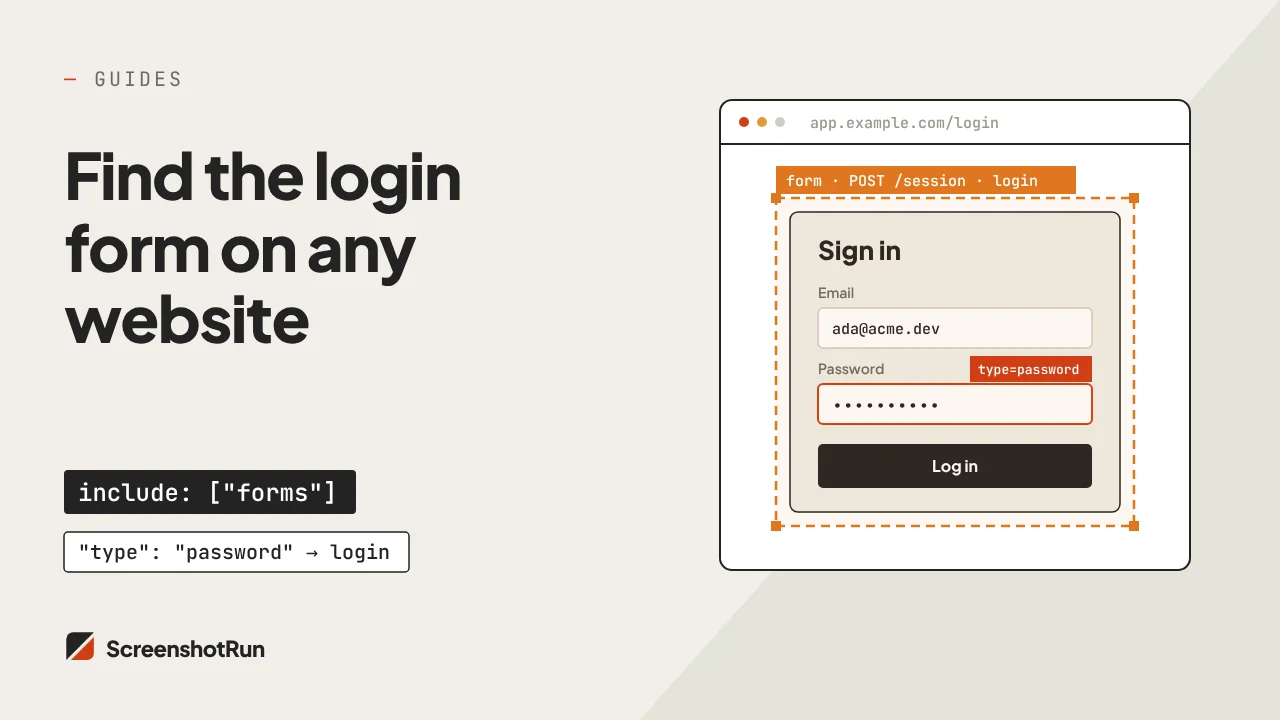
screenshotrun's Page Analyze returns markdown AND structural data in a single call. The DOM-to-JSON output preserves every element's bounding box, tag name, attributes, computed styles. The form extraction returns field names, types, validation rules, hidden inputs. The clickable element extraction gives coordinates for every link, button, dropdown, tab — anything a user could click.
An LLM with both the markdown (for content understanding) and the DOM JSON (for layout understanding) can answer questions that neither format answers alone. "Is the pricing page's most expensive plan visually prominent?" requires both knowing what the plans are (content) and where they sit on the page (layout).
Handling multi-page analysis
Auditing a single page is useful. Auditing an entire site section is where the real value shows up — comparing pages against each other, checking consistency across templates, building a complete picture of a competitor's positioning.
The practical constraint is context window size. Claude Sonnet handles 200K tokens, but LLM reasoning quality drops when you stuff the context full. After markdown extraction, a typical page runs 1,500-3,000 tokens. That means 50-100 extracted pages fit comfortably in one context window, with room for instructions and the model's response.
Compare that to raw HTML. At 30,000-80,000 tokens per page, you'd fit maybe two or three pages before hitting limits. Extraction isn't optional for multi-page analysis — it's mandatory.
A practical pattern for site-wide audits: extract each page separately, have the LLM analyze each one individually, then feed the per-page summaries into a final synthesis prompt. This keeps each analysis call focused and uses the context window for comparison rather than raw content.
import requests, anthropic, json

client = anthropic.Anthropic()
urls = [
    "https://example.com/",
    "https://example.com/pricing",
    "https://example.com/features",
    "https://example.com/about",
]

# Extract and analyze each page
summaries = []
for url in urls:
    md = requests.get(
        "https://api.screenshotrun.com/v1/screenshots/capture",
        params={"url": url, "render_markdown": "true"},
        headers={"Authorization": "Bearer YOUR_API_KEY"}
    ).text

    analysis = client.messages.create(
        model="claude-sonnet-4-20250514",
        max_tokens=800,
        messages=[{
            "role": "user",
            "content": f"Analyze this page for SEO quality. Score 1-10 on: "
                       f"heading structure, keyword relevance, content depth, "
                       f"internal linking. Be specific.\n\nURL: {url}\n\n{md}"
        }]
    )
    summaries.append({"url": url, "analysis": analysis.content[0].text})

# Synthesize across all pages
synthesis = client.messages.create(
    model="claude-sonnet-4-20250514",
    max_tokens=1500,
    messages=[{
        "role": "user",
        "content": f"Here are individual SEO analyses of 4 pages from the "
                   f"same website. Compare these pages against each other. What patterns hold across all four? Where are the inconsistencies? Name the "
                   f"single biggest improvement they should make.\n\n"
                   f"{json.dumps(summaries, indent=2)}"
    }]
)
Accuracy considerations
LLMs analyzing web pages aren't always right. A few things I've learned running these workflows.
Hallucinated details are the biggest risk. Ask "does this page have an SSL certificate?" and the model will sometimes say yes based on seeing "https" in a link rather than actually checking certificate status. Keep analysis questions grounded in what's visible on the page. If the content doesn't contain the answer, the model should say so — add "If this information isn't present in the page content, say so explicitly" to your prompts.
Extraction quality matters enormously. A page with aggressive lazy loading might return incomplete markdown if the content didn't load before extraction. screenshotrun renders in a real browser with configurable wait times and scroll behavior — the delay and wait_for_selector parameters handle most dynamic content. But if a page loads data via infinite scroll, you might need the full_page parameter to trigger a full scroll before extraction.
Model choice affects analysis depth. Claude Sonnet 4 handles most analysis tasks well at $3/M input tokens. For complex multi-factor audits (full WCAG compliance review, detailed competitive positioning breakdown), Opus 4 at $15/M gives noticeably deeper reasoning. GPT-4o at $2.50/M is roughly comparable to Sonnet for structured extraction tasks. Pick based on the complexity of your specific analysis, not a general benchmark.
Comparison with other approaches
The web-to-LLM space has gotten crowded. Where screenshotrun's Page Analyze fits relative to alternatives:
Firecrawl ($19-399/mo) is the most popular dedicated tool. Strong at markdown conversion, site crawling, structured JSON extraction. Doesn't offer element coordinates, form extraction, layout analysis, or visual QA — so it covers content analysis well but falls short on spatial or interactive analysis tasks. Credit-based pricing can get complex (scraping costs 1 credit, extraction costs 4).
Jina Reader (free tier, then token-based) is the simplest option — prepend r.jina.ai/ to any URL. Returns markdown. No DOM structure, no element extraction, no coordinates. Good for quick single-page content extraction when that's all you need.
Crawl4AI (open source) runs locally with Playwright. Full control, no API costs beyond your own infrastructure. But you manage the browser, handle anti-bot protection, build the extraction pipeline yourself. Good choice if you have the engineering capacity and prefer self-hosted.
screenshotrun's angle is the combined approach — text extraction (markdown), structural extraction (DOM JSON, forms, clickable elements), visual capture (screenshots), and spatial data (element coordinates) from a single API. You don't stitch together a scraper, a parser, a markdown converter, and a screenshot tool. One endpoint, multiple output formats matched to your analysis task.
The Page Analyze API documentation covers all extraction endpoints. For token cost details specifically, see the LLM token optimization use case.
FAQ#
The Page Analyze API returns multiple formats from a single URL. Clean markdown strips navigation, ads, scripts and gives you just the readable content. DOM-to-JSON preserves the full element tree with tag names, attributes, bounding box coordinates, and computed styles. Element extraction endpoints return specific subsets — clickable elements, forms with field details, or all elements with their coordinates. Pick the format based on your analysis task.
Most web-to-LLM tools return markdown only. screenshotrun returns markdown AND structural data (DOM JSON with element coordinates, form extraction, clickable element mapping) from a single API. This means your LLM can answer layout-dependent questions — is the CTA above the fold, does the form have hidden inputs, are navigation links in logical order — that markdown alone cannot address.
SEO audits, accessibility checking (WCAG compliance), competitive analysis, content quality assessment, lead qualification from company websites, and compliance monitoring all work well. Content-focused tasks like summarization and Q&A need only markdown. Tasks that involve spatial reasoning — checking element positions, visual hierarchy, above-fold placement — need the DOM-to-JSON output with coordinates.
A ScrapingAnt benchmark measured 89% accuracy on structured extraction tasks with clean markdown input, versus 71% with raw HTML. Accuracy depends on extraction quality (did all content load before extraction?) and prompt design (grounding the model in visible page content prevents hallucination). Adding explicit instructions like "only answer based on the provided content" helps.
After markdown extraction, a typical page runs 1,500 to 3,000 tokens. That means 50 to 100 extracted pages fit in Claude Sonnet's 200K context window. For site-wide audits, extract each page separately, analyze individually, then feed per-page summaries into a synthesis prompt that compares across all pages.
Yes. The API renders pages in a real browser engine, executing JavaScript, handling lazy loading, client-side routing, and dynamic content. Configurable delay and wait_for_selector parameters let you control when extraction happens. For pages with infinite scroll, the full_page parameter triggers a complete scroll before extracting content.