
Full Page Screenshot API
 Vitalii Holben
The top of the page looks fine. Everything below the fold is gray boxes, missing images, or content that never rendered. That's what a naive full-page capture produces on most modern sites, because lazy loading, sticky headers, and client-side hydration all break the assumption that "the page is ready" the moment the HTML arrives.
full_page handles the scroll-and-render cycle. One parameter covers about 90% of pages. The remaining 10% need one more parameter each, and the sections below cover every failure mode I've seen in production.
How full_page works
Pass "full_page": true and the renderer measures document.documentElement.scrollHeight (the entire scrollable area), then sets the viewport to match before capturing. Width stays at whatever you specify, 1280px by default. Height extends to the real content boundary.
curl "https://api.screenshotrun.com/v1/screenshots/capture?url=https%3A%2F%2Fexample.com&full_page=true" \
  -H "Authorization: Bearer YOUR_API_KEY"
One continuous image. No cropping, no stitching. The response includes actual dimensions ("width": 1280, "height": 4850 or whatever the page measures), so you know exactly what you're working with before downloading.
For static pages, that's all you need. Dynamic ones are messier.
Lazy-loaded images render as blank rectangles
Try capturing a product listing on shopify.com or any content-heavy site built after 2019. Scroll down in the resulting image and you'll see gray or transparent boxes where product photos should be. The DOM structure is there. The image data never loaded.
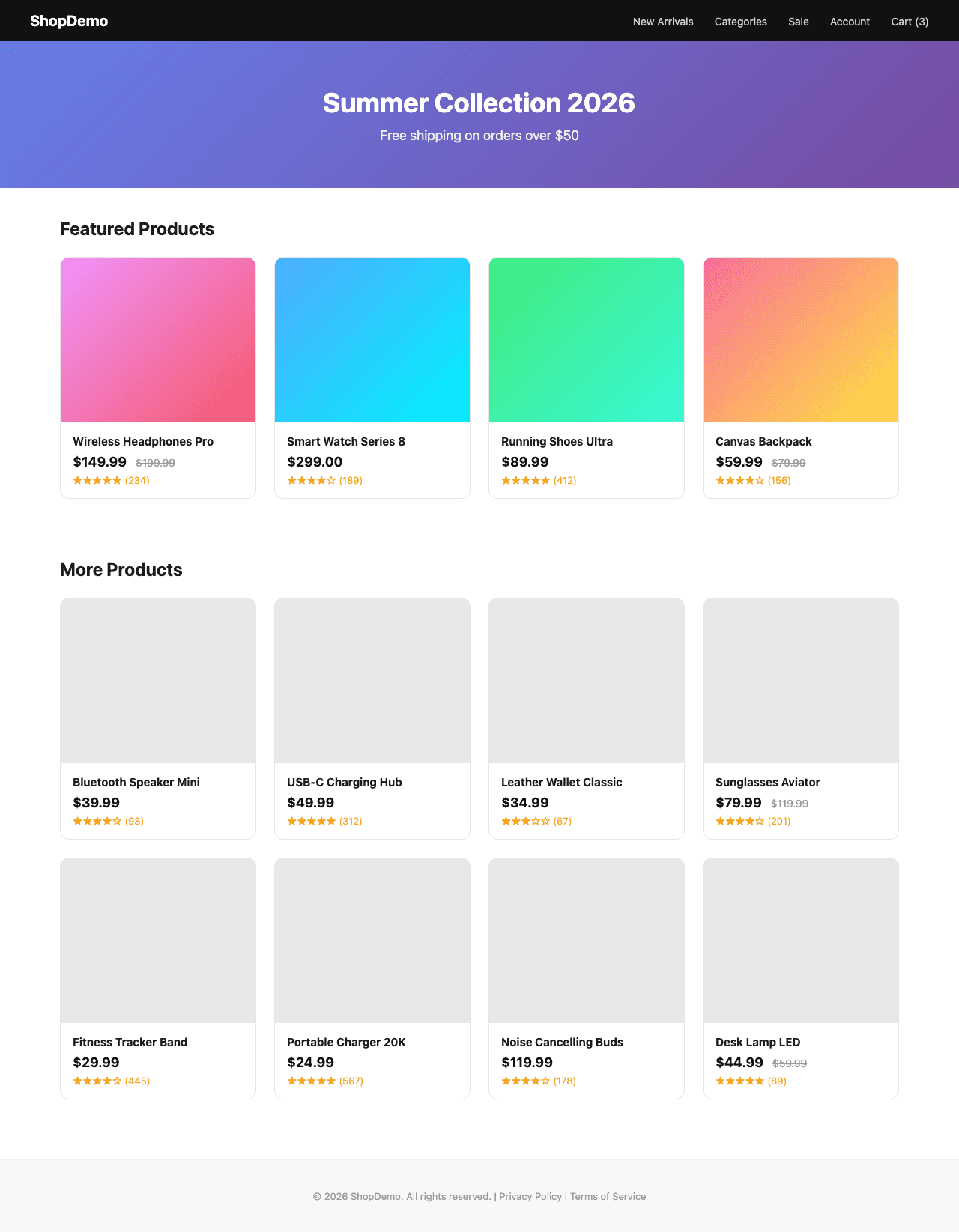
The reason is simple. most sites use intersection observers to defer images until scroll reveals them. A headless browser capturing the full page sees the <img> tags but never triggers the observers, because no human scrolled. The renderer does scroll the document during full-page capture, which fires most observers, but those images still need time to actually download.
Adding delay gives them that time:
{
  "url": "https://example.com/products",
  "full_page": true,
  "delay": 3
}
Three seconds handles most pages. For sites with custom lazy loaders that ignore scroll position entirely, wait_for_selector holds the capture until a specific element appears. Waiting for footer works as a reliable heuristic, since it means everything above has rendered. More patterns in the lazy loading deep-dive.
SPAs show an empty shell before hydration
React, Vue, and Next.js apps start with a near-empty <div id="root"></div>. Content arrives after JavaScript hydrates the framework. Capture too early and you get the loading spinner, not the dashboard.
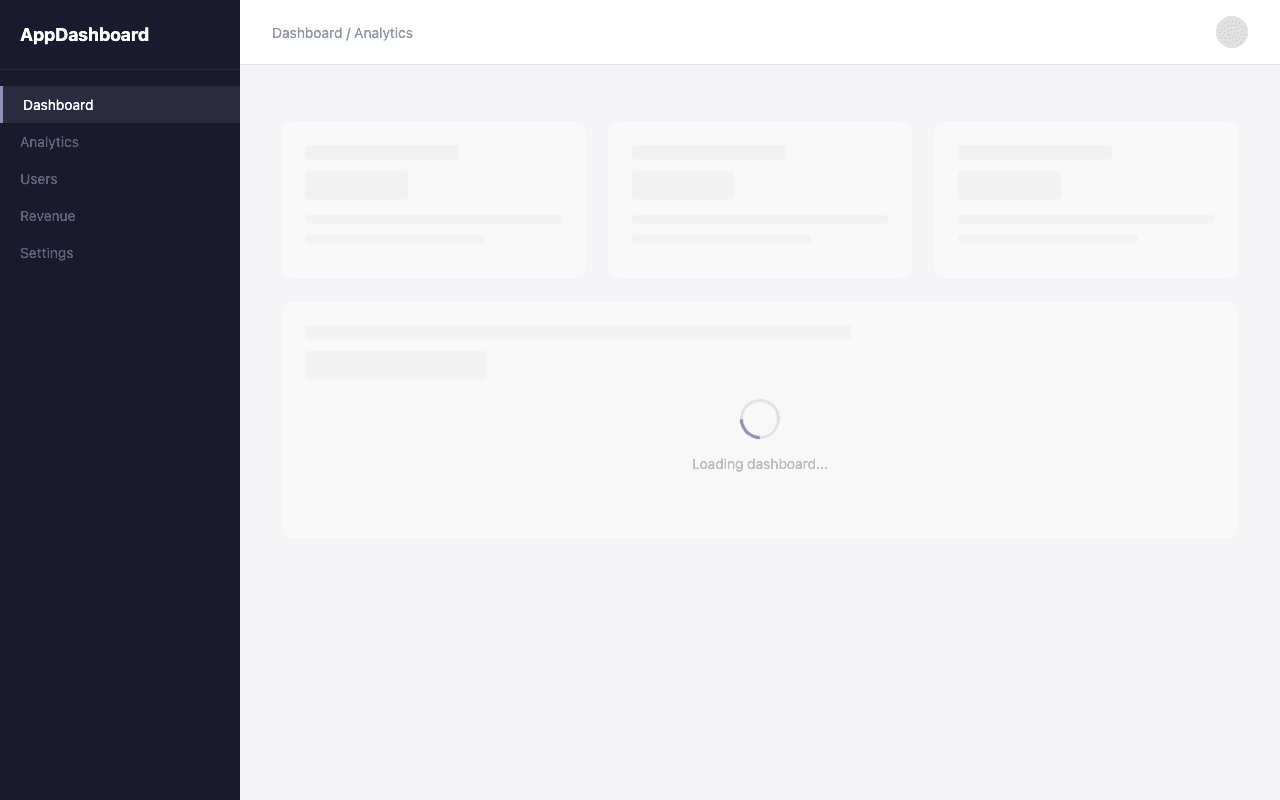
Wait for an element that only exists after render:
{
  "url": "https://myapp.example.com/dashboard",
  "full_page": true,
  "wait_for_selector": "[data-testid='dashboard-content']",
  "delay": 2
}
Pick a selector tied to the rendered component, not the skeleton. A data-testid attribute works well. So does a content heading, a product grid, or a nav item that appears after auth resolves. SSR frameworks like Next.js and Nuxt are easier since the HTML arrives pre-rendered. More SPA-specific patterns in the SPA screenshot guide.
Sticky headers repeat down the entire image
Open any site with a position: fixed nav bar. Now imagine capturing that page as one 5000px-tall image. The header stays pinned to the viewport during scroll, so it appears at the top and overlaps content further down, sometimes repeating like a watermark across the entire height.
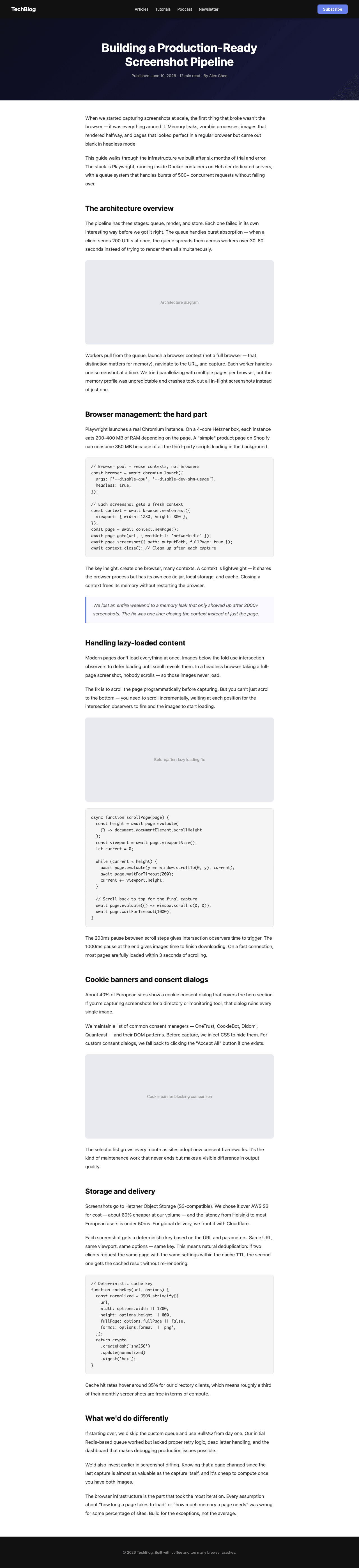
Two approaches. Remove it entirely with hide_selectors:
{
  "url": "https://example.com",
  "full_page": true,
  "hide_selectors": ["header.sticky", "nav.fixed-top", ".floating-cta"]
}
Or keep it visible once at the top by overriding the positioning via css:
{
  "url": "https://example.com",
  "full_page": true,
  "css": "header, nav { position: relative !important; top: auto !important; }"
}
I chose to handle this at the CSS level rather than stripping DOM nodes because some pages rely on header height for layout calculations. Remove the element and everything below shifts up by 60-80px.
Cookie banners block the hero section
block_cookies defaults to true, which strips most consent managers (OneTrust, CookieBot, Didomi, and others) automatically. For custom-built consent dialogs, combine click_selector with hide_selectors:
{
  "url": "https://example.com",
  "full_page": true,
  "click_selector": "#consent-accept-all",
  "hide_selectors": [".cookie-overlay", ".gdpr-backdrop"]
}
click_selector clicks the element before capture. Useful beyond cookies: dismissing newsletter popups, expanding collapsed sections, closing GDPR overlays. More on the mechanics in the cookie banner blocking post.
Retina doubles dimensions, quadruples file size
A 1280 x 5000 full-page PNG weighs 3-5 MB. Turn on retina and that becomes 2560 x 10000 at 15-25 MB. Complex pages hit 50 MB. The right format depends on what you're building:
| Use case | Recommended setup | Typical size |
|---|---|---|
| Visual regression testing | retina + webp quality 90 | 60-70% of PNG |
| Directory thumbnails | webp quality 75 + resize_width 800 | Under 200 KB |
| Archiving / compliance | retina + avif quality 80 | 40-50% smaller than WebP |
AVIF produces the smallest files at equivalent perceptual quality. The tradeoff: encoding takes longer on the API side, so expect slightly higher response times for AVIF compared to WebP.
Infinite scroll pages have no "full page"
Twitter, Pinterest, Reddit. These pages load content endlessly. The API captures what's in the DOM at the moment of capture, up to the timeout (default 30s, max 60s). It won't simulate scrolling to trigger new loads, and I haven't found a reliable way to make that work generically.
For infinite scroll feeds, set a fixed viewport height instead of using full_page:
{
  "url": "https://example.com/feed",
  "width": 1280,
  "height": 3000,
  "delay": 3
}
Three to four screenfuls. Predictable image height. Much easier to layout in a UI than a variable-height capture.
Blank screenshots: three common causes
A completely white image (not partial, completely blank) usually comes from one of three things. Detailed troubleshooting in the blank screenshots guide.
Bot detection
The site blocks headless browsers before the page loads. Fix: "stealth": true.
Viewport-dependent layout
Some SPAs calculate layout from window.innerHeight. When full_page changes the effective viewport, layout breaks. Fix: set an explicit height alongside full_page.
Scrollable container instead of body
If the page uses overflow: auto on a wrapper div, full_page measures the body (viewport-height), not the inner scrollable area. Fix: target the container with selector or inject JS to restructure the DOM. There's no universal fix for this one because the page structure varies too much across sites.
Caching avoids re-rendering the same page
Full-page captures run slower than viewport shots. Expect 8-10 seconds on complex pages with heavy DOM trees. If you're capturing the same URL repeatedly, cache_ttl returns a cached result instead of re-rendering:
{
  "url": "https://example.com",
  "full_page": true,
  "cache_ttl": 3600
}
Any parameter change (including delay or width) produces a different cache key. Keep parameters consistent for cache hits. More on cache mechanics in the caching post.
Parameters that pair with full_page
Every parameter in the API reference works with full_page. These are the ones that matter most for full-page captures specifically:
| Parameter | Effect with full_page | Typical use |
|---|---|---|
delay | Waits N seconds after scroll | Lazy-loaded images |
wait_for_selector | Holds capture until element exists | SPAs, async content |
hide_selectors | Hides up to 20 elements | Sticky headers, floating CTAs |
click_selector | Clicks before capture | Dismiss modals, accept consent |
css | Injects custom CSS | Override positioning, reset animations |
js | Runs JavaScript | Advance carousels, trigger loaders |
block_cookies | Blocks consent (default: true) | Clean hero section |
retina | 2x resolution | Print, high-DPI |
format | PNG/JPEG/WebP/AVIF/TIFF/PDF | WebP/AVIF for compression |
resize_width | Downsizes after capture | Thumbnails |
cache_ttl | Returns cached result | Repeated captures |
stealth | Bypasses bot detection | Protected sites |
full_page is available on every plan, including the free tier (200 screenshots/month). No restrictions on page height or file size.
Start with full_page + delay + block_cookies. That combination handles about 90% of pages cleanly. When something breaks, the fix is usually one more parameter: hide_selectors for sticky elements, wait_for_selector for SPAs, or css for scroll-triggered animations. For deeper dives into specific failure modes, see the visual regression testing and website directories use cases. If you are evaluating whether to build your own with Puppeteer or use an API, the Puppeteer vs Screenshot API comparison covers the tradeoffs.
Full-page capture works with every other API parameter. Combine it with cookie blocking to remove consent overlays before scrolling, wait-for-selector to handle SPAs that load data asynchronously, custom viewport to control the page width, or PDF output to capture long pages as paginated documents instead of a single tall image. Full-page captures also power automated SEO audits where you need every pixel of a landing page verified after a deploy.