
Block Cookie Banners in Screenshots
 Vitalii Holben
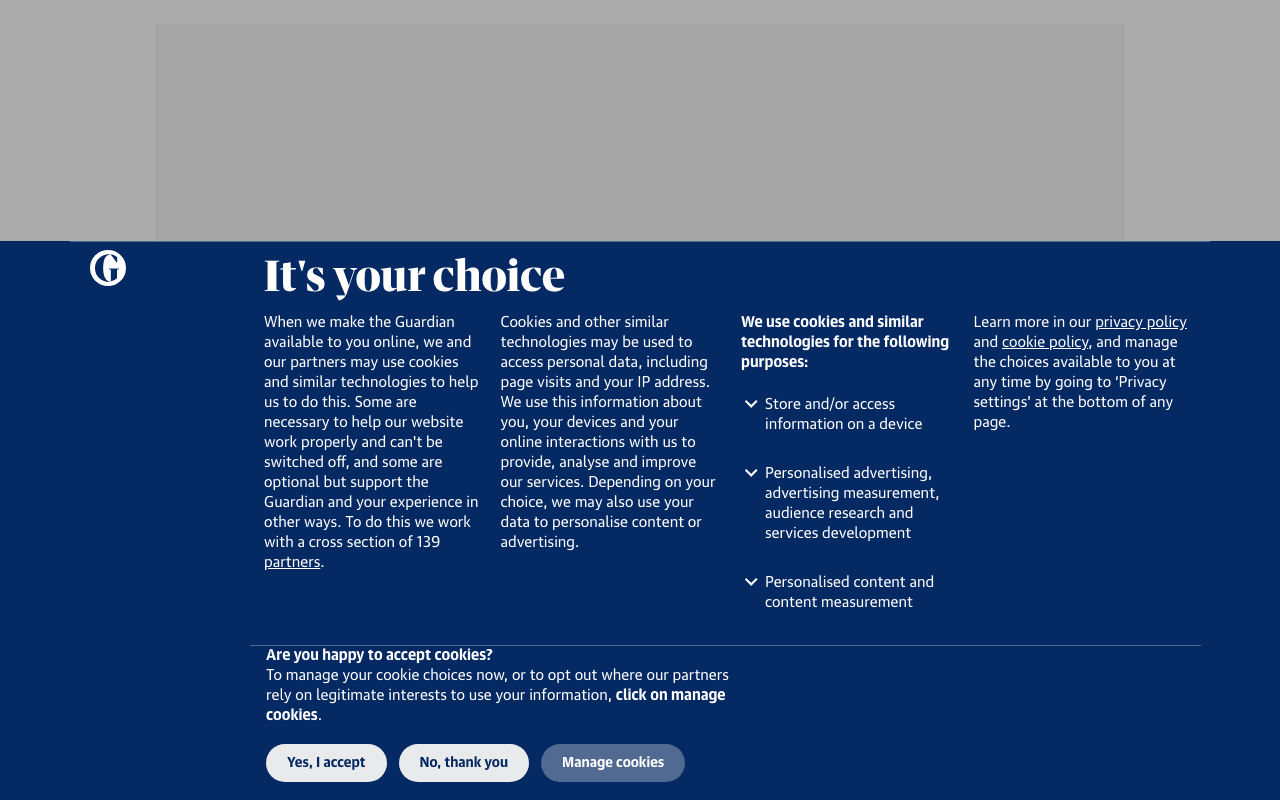
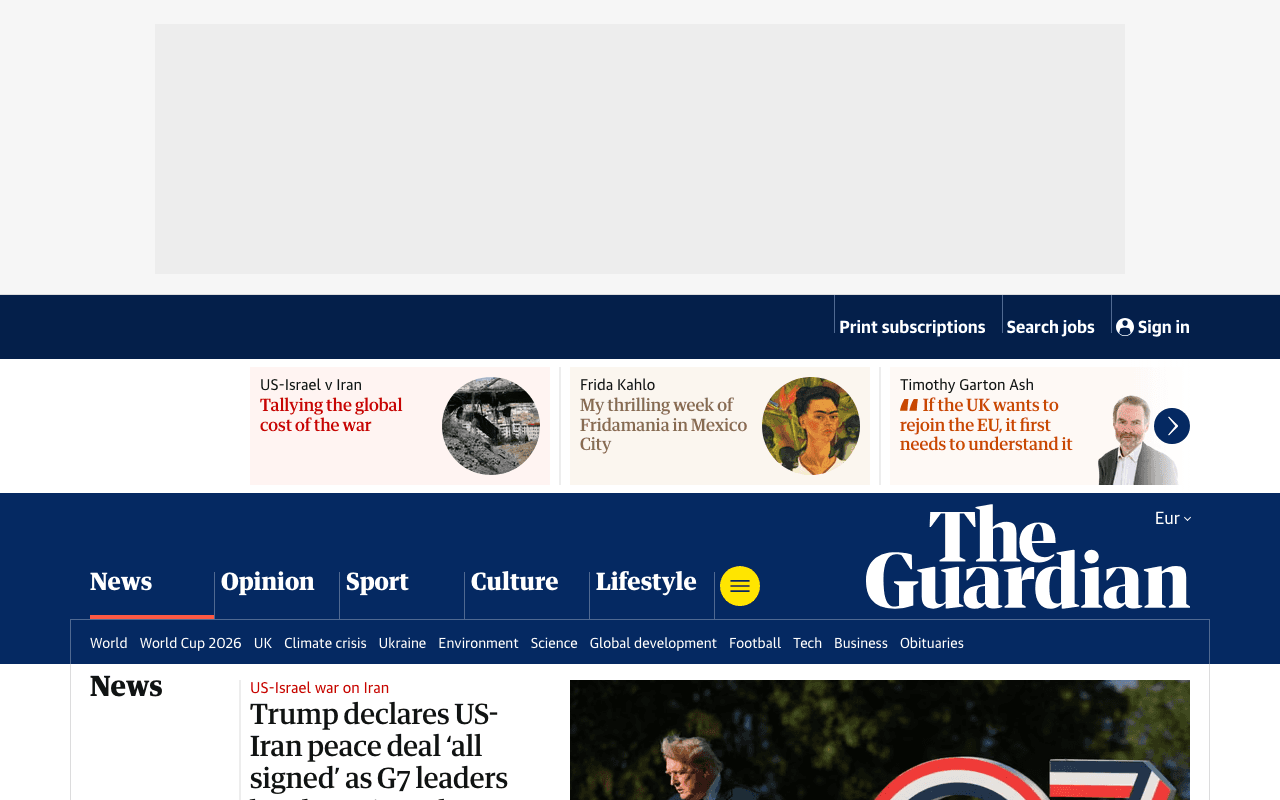
You take a screenshot of a client's website and half the image is a cookie consent banner. A translucent overlay dims everything behind it. The "Accept All" button sits right on top of the hero section, and the actual content (the part you wanted to capture) is barely visible underneath. European sites tend to have the most prominent consent banners, but it happens everywhere now. GDPR, CCPA, ePrivacy, every compliance framework spawned its own flavor of popup, and they all fire before anything else on the page.
This is the single most common complaint I hear from developers using screenshot APIs: "the screenshot looks fine except for the giant cookie banner covering the top third of the page." It's not a bug in the API. The banner is part of the page. The API captured exactly what was there.
block_cookies strips these banners before the capture fires. It's enabled by default on every request, so if you've used ScreenshotRun at all, it's already been working for you.
Why cookie banners break screenshots
When a real person visits a website, they click "Accept" and the banner disappears. They see it once, forget about it, and browse the site normally. But a headless browser isn't a real person. It doesn't have stored consent from a previous visit. Every single page load triggers the full consent flow, banner, overlay, dim background, the whole thing.
The banner isn't just cosmetically annoying. It actively interferes with the screenshot in three ways:
It blocks content. Most cookie banners use fixed or sticky positioning, placing themselves over the hero section, navigation, or the first screenful of content. On mobile viewports, a single banner can cover 40-60% of the visible area.
It dims the background. Many implementations add a semi-transparent overlay behind the banner. The page content is technically there, but it's grayed out or blurred. The screenshot captures the dimmed version, not the real page.
It shifts layout. Some cookie banners push page content down rather than floating over it. The hero image you expected at the top of the screenshot is now 200 pixels lower, and the layout looks broken even though it's technically correct.
How block_cookies works under the hood
The parameter runs three operations in sequence before the capture fires:
Step 1: Script interception. The renderer intercepts network requests and blocks scripts from known cookie consent providers. OneTrust, CookieBot, CookieLaw, TrustArc, Quantcast Choice, Osano, CookieYes, Termly, Iubenda, Klaro, ConsentManager, Cookie Script, and several generic paths like /cookieconsent/ and /gdpr-consent/. If the script never loads, the banner never renders.
Step 2: Element hiding. For banners that are embedded directly in the page HTML (not injected by a third-party script), the renderer hides them via CSS. It targets over 30 selectors including #onetrust-banner-sdk, #CybotCookiebotDialog, .cc-window, [class*="cookie-banner"], [class*="cookie-consent"], [class*="gdpr"], and provider-specific containers for Klaro, Osano, Termly, and Iubenda.
Step 3: Accept button click. As a fallback, the renderer attempts to click known "Accept All" buttons. If a banner managed to render despite the script block and CSS hiding, clicking the accept button dismisses it. The selector list covers OneTrust, CookieBot, CookieFirst, Osano, Klaro, Iubenda, and generic patterns like [data-action="accept"] and button[class*="cookie-accept"].
All three steps run before the page settles and the screenshot fires. The result is a clean page with no consent UI.
It's on by default, no code needed
Unlike full_page or wait_for_selector, you don't need to enable block_cookies. It defaults to true on every request. A minimal API call already blocks cookie banners:
curl "https://api.screenshotrun.com/v1/screenshots/capture?url=https%3A%2F%2Fexample.com" \
  -H "Authorization: Bearer YOUR_API_KEY"
No block_cookies parameter in the request. The banner is still blocked. This is a deliberate design choice: in my experience, developers want clean screenshots by default. The rare case where you actually want to see the cookie banner (compliance auditing, GDPR testing) is the exception, not the rule.
Consent providers blocked automatically
The renderer maintains pattern lists for the most widely deployed consent management platforms. What this page covers:
| Provider | Script blocked | Banner hidden | Accept clicked |
|---|---|---|---|
| OneTrust | Yes | Yes | Yes |
| CookieBot | Yes | Yes | Yes |
| CookieLaw / Optanon | Yes | Yes | — |
| TrustArc / TRUSTe | Yes | — | — |
| Quantcast Choice | Yes | — | — |
| Osano | Yes | Yes | Yes |
| CookieYes | Yes | — | — |
| Termly | Yes | Yes | — |
| Iubenda | Yes | Yes | Yes |
| Klaro | Yes | Yes | Yes |
| ConsentManager | Yes | — | — |
| Cookie Script | Yes | — | — |
| CookieConsent (generic) | Yes | Yes | Yes |
The list covers the platforms behind most cookie banners on the web. The generic selectors ([class*="cookie-banner"], [id*="cookie-consent"], [class*="gdpr"]) catch many smaller or custom implementations too.
Custom consent dialogs that slip through
Some sites build their own cookie banners from scratch. A hand-coded <div class="our-special-consent-thing"> won't match any provider pattern. Same with consent implementations embedded inside the site's main JavaScript bundle rather than loaded from an external CDN.
For these, combine click_selector and hide_selectors:
{
  "url": "https://example.com",
  "click_selector": "#our-consent-accept",
  "hide_selectors": [".our-special-consent-thing", ".consent-backdrop"]
}
click_selector clicks the accept button before capture. hide_selectors removes the banner element and any overlay behind it. Both parameters work alongside block_cookies, so the known providers are still handled automatically while your custom rules catch the rest. More patterns and examples in the cookie banner removal deep-dive.
GDPR overlays that dim the entire page
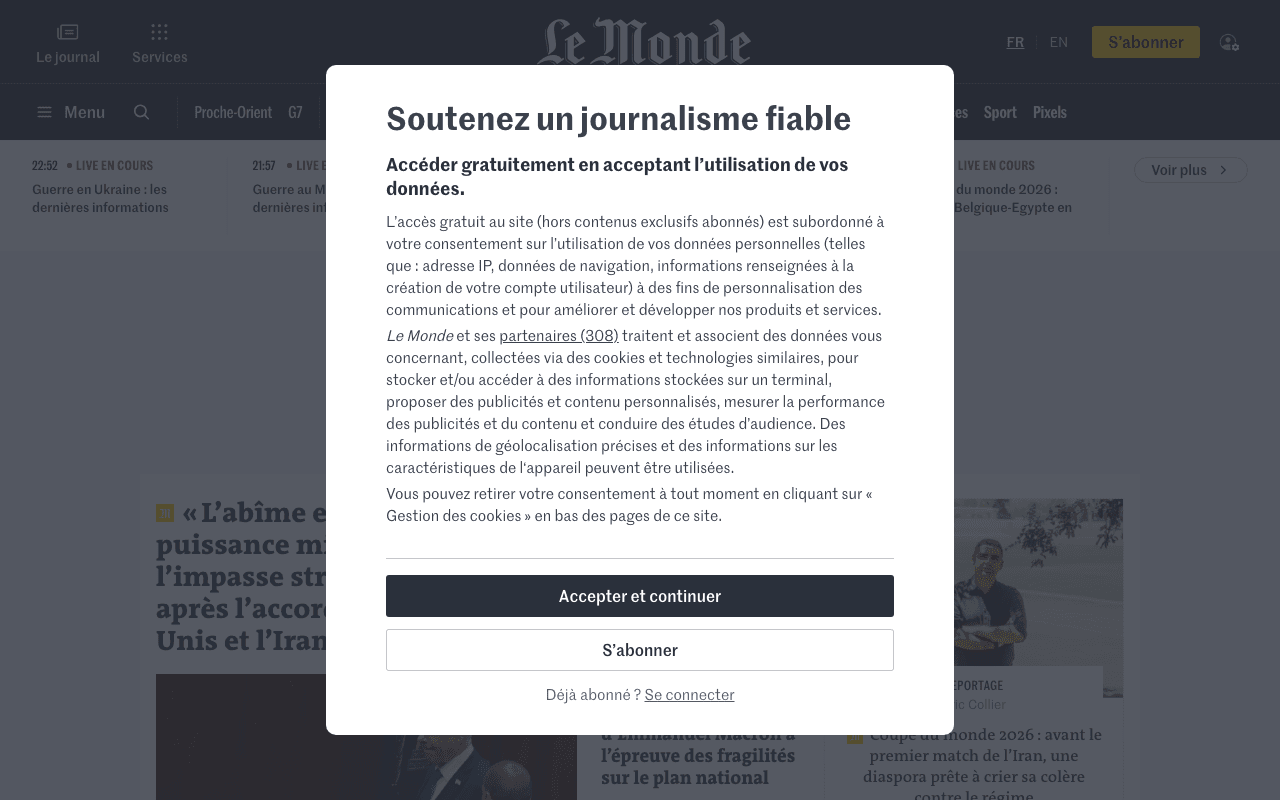
European news sites and media outlets are the worst offenders here. Visit any major European newspaper and you'll see the entire page grayed out behind a consent wall. Not just a banner at the bottom, the entire viewport is covered by a semi-transparent overlay, and nothing is readable until you interact with the dialog.
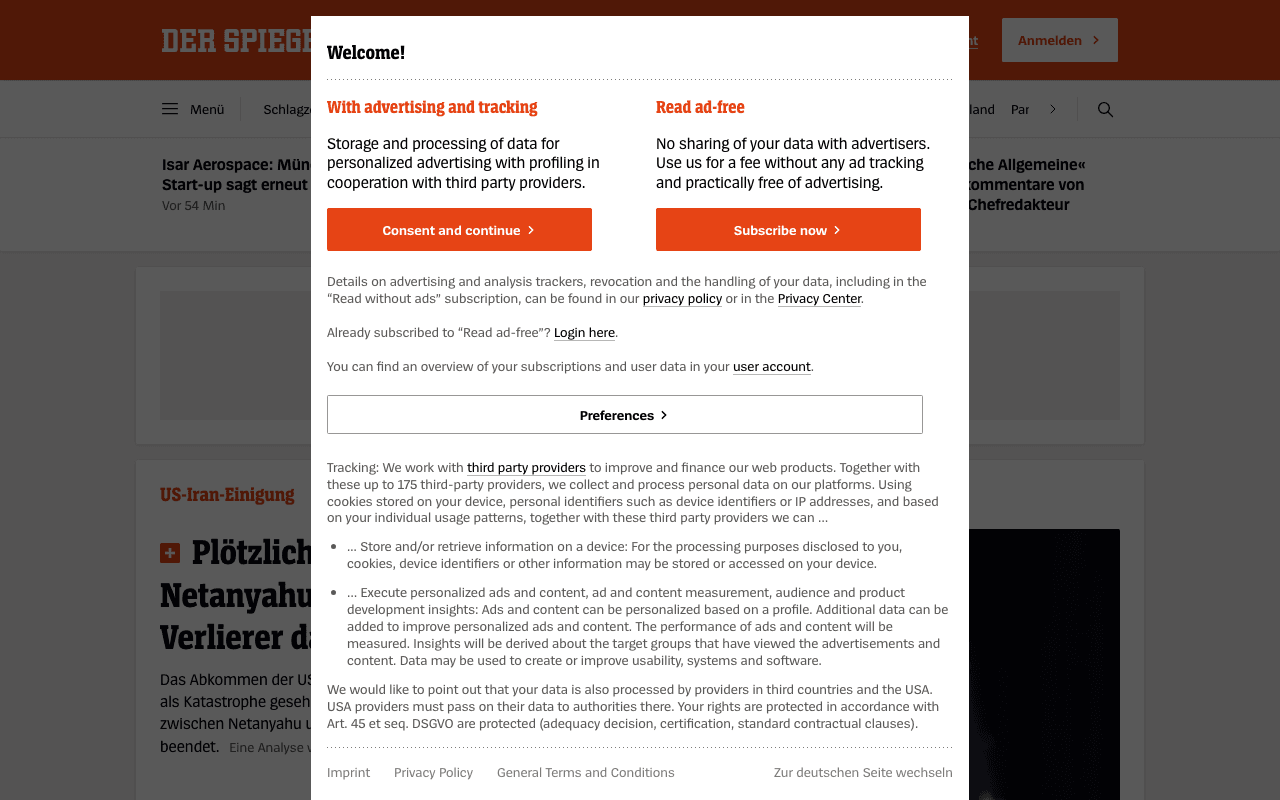
The script interception in step 1 prevents most of these from rendering at all. But when the consent logic is baked into the site's own code, the overlay persists. Target both the dialog and its backdrop:
{
  "url": "https://european-news-site.example.com",
  "hide_selectors": [
    ".consent-wall",
    ".consent-overlay",
    ".modal-backdrop",
    "body.no-scroll"
  ],
  "css": "body { overflow: auto !important; } .content-wrapper { filter: none !important; opacity: 1 !important; }"
}
The css parameter overrides the dimming and scroll-lock that consent walls apply to the body. Without it, the overlay is gone but the page content is still blurred or darkened by the CSS the consent script injected before it was blocked. For pages that also need time to load content behind the overlay, add a wait_for_selector to hold the capture until the actual content has rendered. This is especially common with single-page applications where content loads asynchronously behind the consent gate.
Cookie banners on full-page screenshots
Full-page captures have an extra wrinkle. A cookie banner with position: fixed stays pinned to the viewport during the scroll-and-capture cycle, appearing repeatedly down the length of the image, the same problem that sticky headers cause.
block_cookies prevents this by removing the banner before the full-page measurement runs. Without it, the banner also inflates the measured page height (consent overlays with height: 100vh add a full viewport's worth of empty space).
{
  "url": "https://example.com",
  "full_page": true,
  "block_cookies": true,
  "delay": 3
}
Since block_cookies defaults to true, you don't need to specify it here. I'm including it for clarity. The combination of full_page + default cookie blocking + a short delay handles most pages cleanly. The lazy loading deep-dive covers the remaining edge cases.
When to turn block_cookies off
There are legitimate reasons to capture the cookie banner:
Compliance auditing. You need to verify that the banner appears, displays the correct text, and links to the right privacy policy. Blocking it defeats the purpose.
Visual regression testing. If the cookie banner is part of the tested UI, you need it in the screenshot to detect changes. See the page load strategies for timing the capture correctly.
Competitor monitoring. Tracking how competitors implement consent flows across regions. Some sites also layer bot detection on top of consent, which produces blank screenshots regardless of cookie settings.
Set block_cookies to false explicitly:
{
  "url": "https://example.com",
  "block_cookies": false
}
This disables all three steps: no script interception, no element hiding, no accept clicks. The page renders exactly as a first-time visitor would see it. For authenticated screenshots where you're passing session cookies, block_cookies does not interfere, it only targets consent manager scripts and banner elements, not HTTP cookie headers.
The Puppeteer approach vs one parameter
For comparison, blocking cookie banners in raw Puppeteer looks like this:
const browser = await puppeteer.launch();
const page = await browser.newPage();

// Block known consent scripts
await page.setRequestInterception(true);
page.on('request', (req) => {
  const url = req.url();
  if (/onetrust|cookiebot|cookielaw|osano|termly/.test(url)) {
    req.abort();
  } else {
    req.continue();
  }
});

await page.goto('https://example.com', { waitUntil: 'networkidle0' });

// Hide any banners that still rendered
await page.evaluate(() => {
  const selectors = [
    '#onetrust-banner-sdk', '#CybotCookiebotDialog',
    '.cc-window', '[class*="cookie-banner"]'
  ];
  selectors.forEach(sel => {
    document.querySelectorAll(sel).forEach(el => el.remove());
  });
});

// Try clicking accept as fallback
try {
  await page.click('#onetrust-accept-btn-handler');
} catch (e) { /* button doesn't exist */ }

const screenshot = await page.screenshot();
await browser.close();
Twenty-five lines of boilerplate. You maintain the pattern list yourself, handle request interception lifecycle, deal with race conditions between the banner rendering and your removal code, and still miss providers you haven't added yet. The API does all of this in a single default parameter. For a detailed breakdown of when self-hosting makes sense and when it doesn't, see the build vs buy comparison.
Parameters that pair with block_cookies
Every parameter in the API reference works alongside block_cookies. These combinations come up most often:
| Parameter | Why it pairs well | Example scenario |
|---|---|---|
full_page | Prevents banner repeating on scroll | Full-page capture of a marketing site |
hide_selectors | Catches custom banners + chat widgets | Site with hand-coded consent dialog |
click_selector | Dismisses non-standard consent buttons | Custom "I agree" button |
css | Removes overlay dimming and scroll lock | European GDPR consent wall |
delay | Lets page settle after banner removal | Layout shifts after consent dismissed |
wait_for_selector | Ensures content behind overlay has loaded | SPA content gated by consent |
block_ads | Removes ads alongside cookie banners | Clean capture for archiving |
stealth | Bypasses bot detection that triggers consent walls | Sites with aggressive anti-bot + consent |
block_cookies is available on every plan, including the free tier at 200 screenshots per month. It's on by default, covers the major consent platforms automatically, and falls back to manual overrides for everything else.
Cookie blocking pairs naturally with other capture features. Custom viewport lets you capture mobile and tablet views where consent banners often behave differently. Dark mode captures sites with their dark theme active. And for long pages where the banner would normally repeat on every scroll section, full-page capture combined with cookie blocking produces clean, unobstructed screenshots from top to bottom. For teams archiving regulated content, the website archiving use case covers the compliance workflow. Not all APIs handle cookie blocking the same way. See how we compare with ScreenshotOne on consent handling and feature access.