
 Vitalii Holben
How to handle screenshot API responses in production
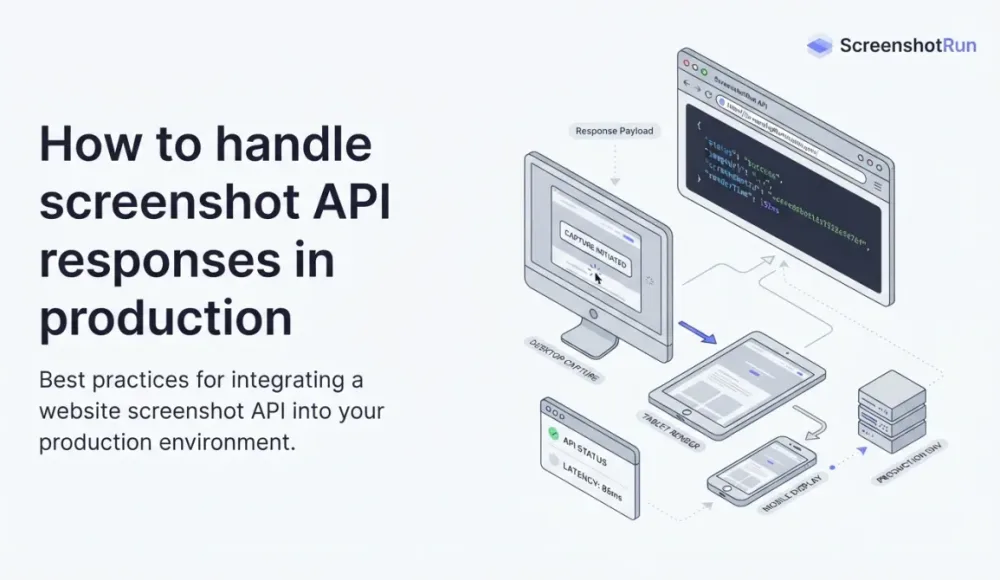
A 200 OK from a screenshot API doesn't mean you got a screenshot — the transport and render layers fail independently. Which status codes to retry and which not, backoff with jitter, respecting Retry-After, catching blank images that pass as a 200, and a circuit breaker. Node.js code throughout.
How to handle screenshot API responses in production
A 200 OK from a screenshot API doesn't mean you got a screenshot. You can get an honest 200, open the file, and find a blank white rectangle, a Cloudflare challenge captured as an image, or half a page with images that never loaded.
That's because a request to a screenshot API fails on two independent layers, and the HTTP code only tells you about one of them. Most API-handling guides stop at "caught a 500, retried it." For screenshots that isn't enough. Here's how I handle responses in production so I don't pile broken images into storage or burn quota on requests that will never succeed on retry.
Two layers that fail separately
Layer one is transport: did the request reach the API, did a response come back, what's the status. That's plain HTTP, and it behaves like any other API.
The second layer is rendering: did the headless browser start, did the page open, did it wait for the content it needed, did a valid image come out. This layer lives inside the API, and the HTTP status often knows nothing about it.
So you get a situation regular REST endpoints don't have: a successful HTTP response wrapped around a failed render. A page served a captcha with a 200, the browser dutifully captured it, the API dutifully returned 200, and now you've got a "prove you're not a robot" screen sitting in storage. That's why I always split response handling into two checks: deal with transport first, then validate the screenshot on its own.
Which status codes you'll actually see
Before writing any retries, you need to know which codes show up and what they mean in practice. Here's what you run into most:
| Status | What happened | What to do |
|---|---|---|
200 | Transport is fine, but the screenshot still needs checking | Validate the image separately |
400 / 422 | Bad parameters: invalid URL, conflicting options, broken selector | Don't retry; it'll fail again |
401 / 403 | Invalid key or plan restriction | Don't retry; fix the key or plan |
402 | Monthly screenshot limit used up | Don't retry; wait for the reset or upgrade |
408 | Transport timeout at the gateway | Retry with backoff |
429 | Hit the rate limit | Retry, but strictly per Retry-After |
4xx with CAPTURE_FAILED | Render failed, reported under a "client" status | Retry a limited number of times (1–2) |
5xx | Internal server error | Retry with backoff |
| network error | ECONNRESET, ETIMEDOUT, a dropped socket | Retry with backoff |
What really matters here isn't "error vs. no error." It's retryable vs. not. A broken selector won't fix itself on the fifth request; you'll just pay five times for the same failure. A 500 from an overloaded renderer, on the other hand, usually goes through on the second try.
And here's the detail that breaks naive "classify by the number" logic: a failed render doesn't have to come back as a 5xx. Plenty of APIs return it under a 4xx, as if it were a request-validation error, even though it's a server-side glitch that's often transient. Decide "retry or not" purely from the HTTP code and you'll either ignore this case (see a 4xx and give up) or hammer it forever. So the decision has to come from the machine-readable error code in the body, not the status number, which is where we're headed next.
Why a render fails on specific pages is its own topic: I dug into Navigation timeout exceeded in Puppeteer and Target closed during captureScreenshot. Those server-side failures are exactly what reaches you later as a "failed render."
What to retry and what not to
Retries have a nice property here that most POST endpoints lack: a screenshot request is idempotent. The same URL with the same parameters gives the same result, so retrying a capture is safe. You won't create a duplicate or break anything on the other side.
The one catch is billing. If the API charges per request, blind retries on non-retryable errors hit your bill. So the rule is simple: only retry what can actually succeed on a second attempt. And with idempotent requests, retries often hit the cache and aren't billed as new. I wrote about that in the post on caching screenshots.
Let's lay the decision out as a list, so we can move it into code:
- Retry
5xx,408,429, and network failures. - Don't retry client
4xx(invalid key, exhausted limit, validation error). Pass the error up. - One exception to that: a
4xxwith a "render failed" code gets a limited retry, once or twice. If the page simply won't render, you're just burning quota past that. - Make the "retry or not" call from
error.codein the body, not from the status number alone. - On
429, take the pause from theRetry-Afterheader instead of guessing; everywhere else, use exponential backoff with jitter. - Log the
request-idfrom the response headers. When you reach out to support it saves hours of back-and-forth. - After N attempts, give up with a clear error instead of silently returning
null.
Backoff with jitter, and respecting Retry-After
First the helpers. The backoff is exponential but with full jitter: without the random spread, all your workers retry in lockstep and hand the API a small DDoS at the exact moment it's already struggling.
const sleep = (ms) => new Promise((r) => setTimeout(r, ms));

// Exponential with a cap + full jitter
function backoffDelay(attempt, baseMs = 500, capMs = 10_000) {
  const exp = Math.min(capMs, baseMs * 2 ** attempt);
  return Math.random() * exp;
}
Now Retry-After. On a 429 (and sometimes a 503) the server tells you outright how long to wait. The header comes in two flavors, a number of seconds or an HTTP date, so handle both:
function retryAfterMs(response) {
  const header = response.headers.get('retry-after');
  if (!header) return null;

  const asSeconds = Number(header);
  if (!Number.isNaN(asSeconds)) return asSeconds * 1000;

  const asDate = Date.parse(header);
  if (!Number.isNaN(asDate)) return Math.max(0, asDate - Date.now());

  return null;
}
Ignoring Retry-After is a common mistake: you keep pounding the API with your own backoff, the limit never resets, and you stay stuck in 429 longer than you needed to. There's more on limit strategies in the separate write-up on rate limiting in production.
The client with retries
Now let's pull this into a single request with a timeout and retries. The endpoint is deliberately abstract. This works with any screenshot API, not just mine.
const RETRYABLE_STATUS = new Set([408, 429, 500, 502, 503, 504]);

// A transient render failure can arrive under a 4xx — retry it by code, not status.
// CAPTURE_FAILED is screenshotrun's code; substitute your API's equivalent.
const RETRYABLE_ERROR_CODES = new Set(['CAPTURE_FAILED']);

class ScreenshotApiError extends Error {
  constructor({ httpStatus, code, message, details, requestId }) {
    super(`[${httpStatus}] ${code ?? 'UNKNOWN'}: ${message ?? ''}`);
    this.httpStatus = httpStatus;
    this.code = code;
    this.details = details;     // per-field breakdown for validation errors
    this.requestId = requestId; // log this — it speeds up support
  }
}

async function fetchWithTimeout(endpoint, timeoutMs) {
  const controller = new AbortController();
  const timer = setTimeout(() => controller.abort(), timeoutMs);
  try {
    return await fetch(endpoint, { signal: controller.signal });
  } finally {
    clearTimeout(timer);
  }
}

// Parse the error body into a structured object
async function parseError(response) {
  const requestId = response.headers.get('x-request-id'); // correlation id
  let payload = {};
  try { payload = await response.json(); } catch { /* body isn't JSON */ }
  const err = payload.error ?? {};
  return new ScreenshotApiError({
    httpStatus: response.status,
    code: err.code,
    message: err.message,
    details: err.details,
    requestId,
  });
}

async function captureWithRetry(endpoint, { maxRetries = 4, timeoutMs = 30_000 } = {}) {
  for (let attempt = 0; ; attempt++) {
    let response;

    // Transport layer: network and our own timeout
    try {
      response = await fetchWithTimeout(endpoint, timeoutMs);
    } catch (err) {
      // a timeout abort or a network failure — both retryable
      if (attempt >= maxRetries) throw err;
      await sleep(backoffDelay(attempt));
      continue;
    }

    if (response.ok) return response; // 2xx — hand it off to validation

    // Got an HTTP error response — parse the body
    const apiError = await parseError(response);
    const retryable =
      RETRYABLE_STATUS.has(response.status) ||
      RETRYABLE_ERROR_CODES.has(apiError.code);

    if (!retryable || attempt >= maxRetries) throw apiError;

    // Retryable error: wait per Retry-After, otherwise back off
    const wait = retryAfterMs(response) ?? backoffDelay(attempt);
    await sleep(wait);
  }
}
Here's what happens, step by step. Each attempt is wrapped in a timeout via AbortController. Without it, a hung render on the API side will hang your worker too. Network failures and timeout aborts land in catch and count as retryable. When an HTTP error response does come back, parseError pulls error.code, message, and details out of the body and grabs the request-id from the header along the way. The retry decision then draws on two sources at once: a retryable status (5xx, 429, and so on) or a retryable error code, specifically that failed render hiding under a 4xx. Anything non-retryable goes up as a ScreenshotApiError carrying the status, code, and request-id, ready to log in one line.
Notice that at this point we've only handled the first layer. response.ok means "transport worked," not "the screenshot is valid."
The sneakiest case: a 200 with a broken screenshot
This is the section the whole thing was built around. The 2xx passed, the retries are happy, and the image is empty. That happens when a page serves a captcha or anti-bot challenge (I wrote about getting past those in the post on stealth patches for headless Chromium), when content didn't finish loading, or when the API returned a JSON error instead of an image.
Minimal validation catches most of the junk and costs next to nothing:
async function validateScreenshot(buffer) {
  // 1. Empty and error images are almost always suspiciously small
  if (buffer.length < 5 * 1024) {
    throw new Error(`Suspiciously small image: ${buffer.length} bytes`);
  }

  // 2. If the API returned JSON instead of an image on error,
  //    a magic-number check catches it
  const isPng = buffer[0] === 0x89 && buffer[1] === 0x50;   // \x89 P N G
  const isJpeg = buffer[0] === 0xff && buffer[1] === 0xd8;  // JPEG SOI
  if (!isPng && !isJpeg) {
    throw new Error('Response body is not a valid PNG/JPEG');
  }

  return true;
}
Two cheap checks (file size and the format signature) filter out both "white" images and cases where text arrived instead of an image. If you want more, people add pixel sampling (the share of single-color pixels in a blank screenshot sits close to 100%) or a check that the expected selector actually rendered. Why screenshots come out blank in the first place, and how to spot it by eye, is a big topic of its own. I covered it in the post on blank and white screenshots in Puppeteer and Playwright, and waiting for a page to fully load here.
To be honest, there's no perfect automatic check for "is this even the screenshot I wanted." Pixel metrics throw false positives on legitimately single-color pages. But even the two checks above clear out almost all of the obvious junk.
A circuit breaker for when the API is down
Retries are good for one-off failures. But when the API is down entirely, retries only make things worse: every worker stubbornly repeats requests, stacks up timeouts, and chokes an already-dead service. This is where a circuit breaker helps.
The idea is three states. While things are fine, it's closed and lets requests through. After N failures in a row it opens and cuts all requests for a while, not wasting time on timeouts. When the pause is up it moves to half-open and lets a single probe through: if it passes, close back up; if it fails, wait again.
class CircuitBreaker {
  constructor({ threshold = 5, cooldownMs = 30_000 } = {}) {
    this.threshold = threshold;
    this.cooldownMs = cooldownMs;
    this.failures = 0;
    this.openedAt = null;
  }

  canRequest() {
    if (this.openedAt === null) return true;                        // closed
    if (Date.now() - this.openedAt >= this.cooldownMs) return true; // half-open: probe
    return false;                                                   // open
  }

  onSuccess() {
    this.failures = 0;
    this.openedAt = null;
  }

  onFailure() {
    if (++this.failures >= this.threshold) this.openedAt = Date.now();
  }
}
This is a simplified version for clarity. In production I'd reach for a ready-made library (opossum, for one) that also does metrics and a half-open state with a cap on probes. But even a minimal breaker like this saves your workers from pointlessly pounding a dead API.
Putting it all together
Your final resilient call is three layers of defense stacked on each other: the breaker decides whether it's even worth trying, captureWithRetry handles transport and retries, and validateScreenshot checks the result itself.
const breaker = new CircuitBreaker();

async function capture(endpoint) {
  if (!breaker.canRequest()) {
    throw new Error('Circuit is open — skipping request to a failing API');
  }

  try {
    const response = await captureWithRetry(endpoint);
    const buffer = Buffer.from(await response.arrayBuffer());
    await validateScreenshot(buffer); // a broken 200 won't get through
    breaker.onSuccess();
    return buffer;
  } catch (err) {
    breaker.onFailure();
    // if this is a ScreenshotApiError, the log gets code and requestId
    console.error('capture failed', { code: err.code, requestId: err.requestId });
    throw err;
  }
}
Now a 200 with an empty image won't reach storage: it fails at validateScreenshot, counts as a failure for the breaker, and goes up as an error, somewhere you can log it and look into it. And non-retryable errors won't burn your quota on pointless retries. If the bigger question comes up, whether to run your own renderer at all or live on an API, I went through it in the post on build vs. buy for screenshots.
What's on the API's side and what's on yours
Some of this work you don't have to do by hand. Let me show, using screenshotrun, how the generic code above maps to a real API.
Errors always come in a single JSON envelope with an error object:
{
  "error": {
    "code": "RATE_LIMIT_EXCEEDED",
    "message": "Too many requests. Please retry after 45 seconds.",
    "status": 429
  }
}
So the client-side parsing is always the same: take error.code and error.message. Validation errors (422 VALIDATION_ERROR) add a details field with a per-field breakdown, handy for showing the user exactly what they got wrong.
Most important for our topic is which codes to retry. A failed render comes back as 422 CAPTURE_FAILED: technically a 4xx, but the failure is transient, so that's exactly the code I'd put in RETRYABLE_ERROR_CODES from the example above (once or twice, no more). Whereas 402 USAGE_LIMIT_EXCEEDED (monthly limit used up) and 401 INVALID_API_KEY are pointless to retry. Retries there only burn attempts. On 429 I return Retry-After so you don't have to guess the pause, and identical repeat requests are served from cache, so retries don't turn into extra charges. The full list of codes is in the API documentation.
One more small thing that saves hours: every response carries an X-Request-Id header with a UUID. Log it next to the error. When you contact support it points straight at the specific request, with none of the "well, something didn't work last night somewhere" guesswork.
But validating the result, the backoff, and the breaker are still your side: only your code knows what a "normal" screenshot is for you, and how many attempts it's willing to make before giving up.
The basic principle I'd take from this into any project with an external renderer: don't confuse "the request went through" with "the result is correct." Those are two different questions, and you check them with two different mechanisms. I hope this saves you the evenings I spent figuring out why honest 200s with white rectangles inside them kept piling up in storage.
Screenshot API rate limiting strategies in production
Most rate limiting guides only cover retry strategies. That's only half the problem. Five concrete strategies — proactive (token bucket, queue) and reactive (Retry-After, exponential backoff, circuit breaker) — with Node.js code.
Read more →
Headless Chrome "net::ERR_CONNECTION_REFUSED" in Docker: causes and fixes
ERR_CONNECTION_REFUSED in headless Chrome inside Docker isn't one error — it's five different network problems sharing the same message. Diagnose with one curl from inside the container, then fix per cause.
Read more →
How to take screenshots of pages with infinite scroll feeds
Infinite scroll pages don't have a bottom — so "scroll to the end, then screenshot" doesn't work by definition. Five strategies for deciding when to stop, with code for Puppeteer and Playwright.
Read more →