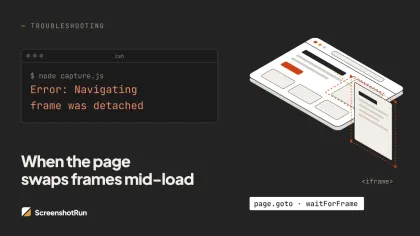
The full error reads: Protocol error (Runtime.callFunctionOn): Cannot find context with specified id. Or, in older Puppeteer versions, Cannot find context with specified id undefined. Either way, Chrome is saying the same thing: the execution context you were trying to use doesn't exist anymore.
This is a Chrome DevTools Protocol error, not a JavaScript error. When Puppeteer runs page.evaluate(), it sends a CDP command called Runtime.callFunctionOn that references a numeric context ID — an integer Chrome assigns to each JavaScript environment (one per page, one per iframe, one per worker). Navigation destroys that context and invalidates the ID. If your CDP command arrives after the destruction, Chrome returns error code -32000: Cannot find context with specified id.
How this differs from "Execution context was destroyed"
These two errors share the same root cause. Both happen because a navigation destroyed a V8 execution context while a Puppeteer operation was still referencing it. The difference is timing.
"Execution context was destroyed" means Chrome actively destroyed the context while your CDP call was in flight. Chrome sent back the -32000 error with that message attached.
"Cannot find context with specified id" means the context was already gone before your CDP call arrived. Chrome has no record of that context ID at all. The undefined variant appears when Puppeteer's internal frame reference never obtained a valid context in the first place, usually because the new context event hasn't arrived yet or the frame was destroyed before one could be created.
Both are treated identically in Puppeteer's source. Both require the same fixes. But they show up under different error message substrings, which trips up catch blocks that only check for one string. You need to check for both. More on that in Fix 5.
What triggers this error
The most common cause is a navigation race after a click. page.click() resolves when the click fires, not when navigation completes. If you immediately call page.evaluate() after clicking a link that triggers a redirect, you're racing against Chrome. Navigation can complete and destroy the context before your evaluate command reaches the browser.
A less obvious trigger: page.select() on a dropdown that navigates on change. This is documented in GitHub issue #4691 with a roughly 50% failure rate on server-rendered apps. page.select() internally uses Runtime.callFunctionOn to update the value and dispatch the change event. If that event triggers a form submission or redirect, Chrome destroys the context while the select call is still in flight.
Stale ElementHandle references in loops are a third pattern. An ElementHandle pins a reference to the execution context it was created in. Navigate away and that context is gone. The handle looks valid, it's a live JavaScript object, but any method call on it will throw. This comes up constantly in pagination scripts where someone caches const btn = await page.$('button') before a navigation and reuses it afterward.
And then there are the harder-to-predict cases: a framenavigated handler calling frame methods synchronously before the new context is ready, a third-party analytics script or tag manager firing an unexpected redirect, or a child iframe navigating and churning the main frame's context ID as a side effect. That last one is covered in its own section below.
Fix 1: Promise.all with waitForNavigation
This is the canonical fix for navigation-race errors. The key: waitForNavigation() must be registered before the action that causes navigation. If you set it up after the click, you may miss the event entirely. Chrome can navigate and fire the completion event before your next line of code runs.
// Wrong — navigation may complete before waitForNavigation starts listening
await page.click('a.next-page');
await page.waitForNavigation();

// Correct — listener registered before click fires
const [response] = await Promise.all([
  page.waitForNavigation({ waitUntil: 'domcontentloaded' }),
  page.click('a.next-page'),
]);
For form submissions and evaluate-triggered navigation:
// Form submit button
await Promise.all([
  page.waitForNavigation({ waitUntil: 'domcontentloaded' }),
  page.click('button[type="submit"]'),
]);

// Navigation triggered from page.evaluate
const navPromise = page.waitForNavigation({ waitUntil: 'domcontentloaded' });
await page.evaluate(() => {
  document.querySelector('form').submit();
});
await navPromise;
One note on waitUntil: networkidle0 and networkidle2 will timeout if the page has open WebSocket connections, analytics pings, or long-polling requests. domcontentloaded is safer for most cases.
Fix 2: Replace page.select() with evaluate + dispatchEvent
Because page.select() uses a CDP call that can race with the navigation the change event triggers, replacing it with page.evaluate() and a manual event dispatch keeps everything in one serialized operation:
await Promise.all([
  page.waitForNavigation({ waitUntil: 'domcontentloaded' }),
  page.evaluate((value) => {
    const select = document.querySelector('select#country');
    select.value = value;
    select.dispatchEvent(new Event('change', { bubbles: true }));
  }, 'US'),
]);
Fix 3: Don't cache element handles across navigation
The broken pagination pattern looks like this:
// Wrong — handle is only valid for the first page
const links = await page.$$('a.result-link');
for (const link of links) {
  await Promise.all([
    page.waitForNavigation(),
    link.click(),
  ]);
  await page.goBack();
  // Second iteration: link handle points to a destroyed context
}
Extract the data you need as primitives before any navigation happens. Strings, numbers, and URLs survive navigation. Element handles don't.
// Correct — extract URLs first, navigate by href
const urls = await page.$$eval('a.result-link', els => els.map(el => el.href));

for (const url of urls) {
  await page.goto(url, { waitUntil: 'domcontentloaded' });
  // scrape, process...
}
If you can't collect all URLs upfront, re-query the element fresh on each iteration:
let hasNext = true;
while (hasNext) {
  const nextBtn = await page.$('button.pagination-next');
  if (!nextBtn) { hasNext = false; break; }

  await Promise.all([
    page.waitForNavigation({ waitUntil: 'domcontentloaded' }),
    nextBtn.click(),
  ]);
  // nextBtn is stale now — re-query at the top of the next iteration
}
Fix 4: Use page.locator() instead of ElementHandle (Puppeteer v21+)
A Locator doesn't cache a DOM reference. It holds a selector string and re-queries the current document at action time. No stored context ID, nothing to go stale.
// ElementHandle — stores context ID at acquisition time
const btn = await page.$('#submit');
await page.goto('/step2'); // context destroyed
await btn.click(); // throws: detached from document

// Locator — no DOM query until action time
const btn = page.locator('#submit');
await page.goto('/step2'); // new context created
await btn.click(); // re-queries in the new context, works
Locators also auto-retry on visibility and actionability. For automation scripts that navigate frequently, switching from page.$() to page.locator() removes an entire class of context errors. Available since Puppeteer v21.0.0.
Fix 5: try/catch retry wrapper for production
Sometimes you can't refactor to Promise.all: third-party page behavior, unpredictable redirects, or code you don't control. In those cases, catching and retrying with a fresh context is the practical fallback.
The catch block needs to check for both error strings, because which one appears depends on timing, not logic:
function isContextError(err) {
  return (
    err.message.includes('Cannot find context with specified id') ||
    err.message.includes('Execution context was destroyed') ||
    err.message.includes('detached from the document')
  );
}

async function safeEval(page, fn, args = [], retries = 2) {
  for (let attempt = 0; attempt <= retries; attempt++) {
    try {
      return await page.evaluate(fn, ...args);
    } catch (err) {
      if (isContextError(err) && attempt < retries) {
        // Wait for the new context to initialize
        await page.waitForNavigation({ waitUntil: 'domcontentloaded', timeout: 5000 })
          .catch(() => {}); // navigation may have already completed
        continue;
      }
      throw err;
    }
  }
}
SPAs behave differently
In React Router, Vue Router, or Next.js apps, most route changes don't destroy the execution context. The router intercepts the click, calls history.pushState(), and updates the DOM in place. Chrome never fires executionContextDestroyed. Same context, new URL.
What this means practically: page.waitForNavigation() may never resolve, because no CDP navigation event fires for pushState-based routing. Wrapping SPA clicks in Promise.all([page.waitForNavigation(), ...]) will often hang until timeout. And element handles from the previous route stay technically valid since the context isn't destroyed, but React's reconciler may have removed or replaced those DOM nodes. Your handle is alive; the element it points to isn't in the DOM anymore.
The correct signal to wait for isn't a navigation event. It's a DOM change specific to the target route:
await page.click('a[href="/dashboard"]');

// waitForNavigation won't work reliably for SPA routing
await page.waitForSelector('[data-route="dashboard"]', { timeout: 5000 });

const data = await page.evaluate(() => {
  return document.querySelector('.dashboard-stats').textContent;
});
Full-page navigations still destroy context in SPAs. Direct window.location.href assignments, server-side redirects, and page.reload() all produce real navigations. But client-side routing via history.pushState() does not.
When a child iframe navigation breaks the main frame
This one catches people off guard. You're not navigating the main page. An iframe somewhere on the page loads a new URL — an embedded widget, a third-party login frame, or an ad unit — and suddenly your main-frame page.evaluate() throws "Cannot find context with specified id."
Why? V8 can re-register the entire context tree when a child frame navigates, assigning a new context ID to the main frame even though the main document didn't change. Puppeteer's internal cached context ID becomes stale. The next CDP call targeting that ID fails.
The framenavigated event gives you a hook to detect this and wait for the context to settle:
page.on('framenavigated', async (frame) => {
  if (frame !== page.mainFrame()) {
    // A child iframe navigated — wait for DOM ready
    await page.waitForFunction(() => document.readyState === 'complete')
      .catch(() => {});
  }
});
If the page has iframes that navigate unpredictably, the retry wrapper from Fix 5 is a simpler approach. The context error is transient here — the main frame context re-establishes quickly, and a short retry will succeed.
Puppeteer version changes that affect this error
v17.0.0 internalized the ExecutionContext API (PR #8844). Code or libraries calling elementHandle.executionContext() directly broke here. Many older scraping libraries failed silently, returning undefined context downstream and producing the undefined variant of the error.
v20.5.0 introduced an undocumented breaking change in context management (GitHub issue #10294). Scrapers that had been working reliably started throwing context errors on pages that navigate. If your code worked until a specific version bump, check your changelog against this release.
v21.0.0 made page.locator() the recommended API for element interactions. Locators don't store context IDs, which eliminates the stale-handle class of this error entirely for new code.
v23+ (Firefox/BiDi) added Firefox support via WebDriver BiDi. The BiDi layer handles context creation and destruction differently from CDP, which is why the error string differs in Firefox and why some Chrome fix patterns don't map directly.
Running npm list puppeteer shows what you have. If you're on v17-v20 and writing code that uses deprecated ElementHandle methods from that range, a version upgrade combined with switching to Locators may be the fastest fix.
The related errors that need the same fix
Several other Puppeteer error messages share this root cause. If your catch block only checks one string, you'll miss the others when they appear:
| Error message | When it appears | Fix direction |
|---|---|---|
Cannot find context with specified id |
CDP call arrived after context was already gone | Promise.all / Locator / re-query |
Cannot find context with specified id undefined |
Puppeteer never obtained a valid context ID | Wait for navigation to complete before evaluating |
Execution context was destroyed, most likely because of a navigation |
CDP call was in flight when context was destroyed | Same as above |
JSHandle or ElementHandle is detached from the document |
Puppeteer flagged the handle before making a CDP call | Re-query element, use Locator instead |
Attempted to use detached Frame |
Frame object used after its page navigated | Re-acquire via page.mainFrame() |
Context is not available in detached frame |
An iframe was removed from the DOM | Re-query iframe with page.frames() |
All of these come down to the same thing: code holds a stale reference to a JavaScript context that Chrome has already destroyed. Wait for navigation to complete before operating, re-query references fresh, or use Locators that never cache context IDs. One of those three covers every scenario.
Diagnosing which scenario you're in
The error message alone doesn't tell you which trigger you hit. A few questions narrow it down quickly.
- Error on a specific
page.click()that redirects? That's Fix 1. AddPromise.alland registerwaitForNavigationbefore the click. - Error inside a loop that clicks through items? That's Fix 3. Extract URLs as strings before the loop starts, navigate by
hrefinstead of clicking cached handles. - Failing on
page.select()? That's Fix 2. Replace it withpage.evaluateplus manualdispatchEvent. - Appears intermittently, not tied to any action? Check for iframes navigating in the background, or third-party scripts firing redirects. Add the retry wrapper from Fix 5.
- Started after a Puppeteer version bump? Check specifically for v20.5.0 (GitHub #10294). Try pinning to v20.4.0 to confirm. If you're below v21, upgrading and switching to Locators may solve stale-handle issues without any other changes.
- Page uses React, Vue, or Next.js routing? Skip
waitForNavigationentirely after in-app link clicks. UsewaitForSelectoron an element that only exists on the target route.
Context errors have a reputation for being flaky. They appear intermittently, the stack trace points at Puppeteer internals rather than your code, and the error message doesn't tell you where the navigation came from. But every case comes back to the same thing: a CDP call referenced an execution context ID that no longer existed. Once you understand that Chrome assigns these IDs per document load — and destroys them on every navigation — the fix for each scenario follows logically. Register navigation listeners before actions, don't carry element references across page boundaries, and check for both error strings in your catch blocks. That covers the vast majority of cases without reaching for retries at all.
FAQ#
Both errors have the same root cause: a Chrome DevTools Protocol command was sent to an execution context that navigation already destroyed. The difference is timing. "Execution context was destroyed" means Chrome destroyed the context while the CDP call was still in flight. "Cannot find context with specified id" means the context was already gone before the call arrived — Chrome has no record of that context ID at all. Both require the same fixes.
page.click() resolves when the click fires, not when navigation completes. If the click triggers a redirect or page load, Chrome destroys the old execution context almost immediately. Any page.evaluate() or CDP call you make right after the click may arrive after the context is gone. The fix is wrapping both operations in Promise.all([page.waitForNavigation(), page.click(...)]) so the navigation listener is registered before the click fires.
The most reliable fix is extracting element data as primitive values (strings, URLs) before entering the loop, then navigating by URL rather than clicking cached element handles. An ElementHandle is only valid for the document it was acquired from. Once navigation happens, any handle pointing to the previous page's context will throw this error. Use page.$$eval('a', els => els.map(e => e.href)) to get all URLs first, then loop through them with page.goto().
Yes, for the stale-handle variant. A Locator (available since Puppeteer v21) doesn't store a DOM reference at query time — it holds a selector string and re-executes the query at action time against the current document's context. So if the page navigates between when you defined the locator and when you call .click() or .fill(), Puppeteer re-queries the element in the new context automatically. Locators don't help with bare page.evaluate() calls made after navigation without waiting — use Promise.all for those.
Unlike page.click(), page.select() implements its logic entirely through a CDP Runtime.callFunctionOn call. It updates the dropdown value and dispatches the change event inside that CDP call. If the change event triggers a form submission or redirect (common on server-rendered apps), Chrome destroys the execution context while the CDP call is still in flight. The fix is to replace page.select() with a page.evaluate() call that sets the value and dispatches the change event manually, wrapped in Promise.all with waitForNavigation.