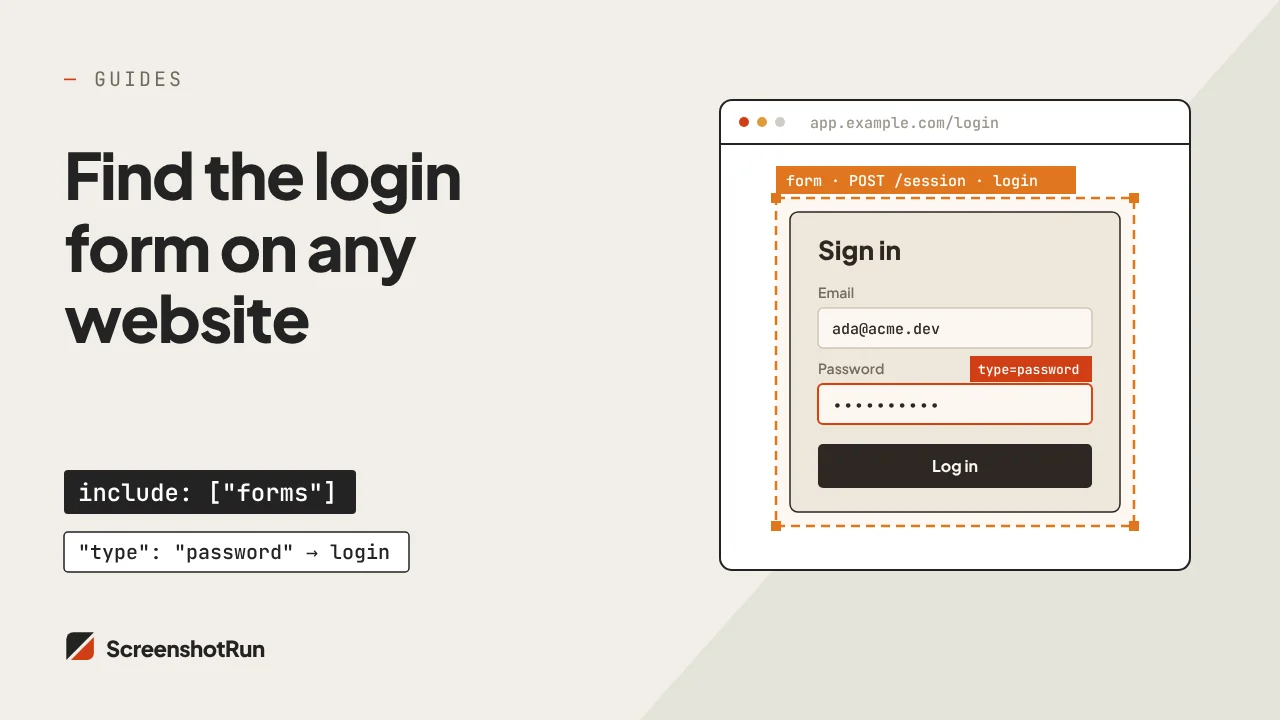
Most screenshot APIs work fine on public pages. The moment you point one at a dashboard, admin panel, client portal, or internal tool, you get back a screenshot of the login form instead. The page is there — it's just behind authentication. For teams that need to automate screenshot capture of private pages, this is the actual problem: not "how do I take a screenshot," but "how do I take a screenshot of something only my users can see."
A screenshot API that supports authentication passes your session credentials to the headless browser before it visits the URL. The browser arrives already authenticated and captures the real page. No login automation scripts to maintain, no Puppeteer sessions to manage, no Chromium processes to keep alive on a server. You pass the credentials with the request and get the screenshot back.
Who uses authenticated screenshot capture
The pattern shows up across industries wherever private pages need to appear in reports, pipelines, or monitoring systems that run without a human clicking through the browser. A few recurring workflows worth knowing before you build one.
The most common use case is automated reporting. Agencies and data teams maintain dashboards in Grafana, Metabase, Looker, Tableau, or custom-built analytics tools that executives and clients need to see regularly but won't log into directly. The manual workflow — screenshot, paste into a Slack message, attach to the weekly email — is the kind of thing people keep promising to automate until someone on the team finally does it. A scheduled API call with session credentials replaces the entire step. The PDF generation workflow pairs well here: capture a full-page screenshot of the dashboard, convert to a branded PDF report, deliver automatically to a Slack channel or email thread.
Internal tool monitoring is a close second. An HTTP uptime check tells you the server is responding. It tells you nothing about whether the React dashboard actually rendered, whether charts loaded, or whether a recent deploy broke the layout for a specific user role. Visual monitoring of authenticated pages catches what HTTP checks miss. I've seen engineering teams ship a deploy that broke the billing page for admin users but not regular users — it went unnoticed for two days because the status monitor showed green. A screenshot diff on the authenticated admin view would have caught it in the first CI run. The website change monitoring use case covers this workflow in more depth.
Visual regression testing in CI pipelines. The pages most likely to break during a deploy — account settings, billing screens, user dashboards, role-specific views — are all behind authentication. Standard regression tools either skip these pages entirely or require Playwright login automation that breaks when sessions expire or form selectors change. Passing session credentials directly to the screenshot API removes that maintenance burden from the pipeline. The test suite captures the authenticated page state without managing any browser session logic.
Compliance and audit evidence collection. SOC 2, GDPR, HIPAA, and similar frameworks require documented evidence that controls are in place: access control configurations, audit log views, data retention dashboards, consent records. These almost always live in admin panels behind authentication. Teams either collect this evidence manually (screenshot and spreadsheet, every quarter) or build automated pipelines that capture timestamped visual records on a schedule. The difference matters during an audit: a 12-month trail of consistent, timestamped screenshots is auditable evidence. A folder of manually saved PNGs from whenever someone remembered to do it is not. The website archiving use case covers the storage and retention side of this workflow.
Multi-tenant SaaS products generating per-account captures. Each customer account has a unique view of the same dashboard. Generating onboarding screenshots, weekly PDF summaries, or account-state thumbnails requires authenticated capture with that customer's session — not a shared demo account. Scale that to hundreds of accounts and it becomes a bulk capture job with per-account cookie injection on each request. The API handles the concurrency. Your code handles the mapping from account ID to session credential.
How authentication works with screenshot APIs
Screenshot APIs handle authentication through three mechanisms: session cookies (the most common — you pass the cookie your browser already holds after logging in), HTTP headers for Bearer tokens or API keys used by modern SaaS tools and internal APIs, and JavaScript injection for SPAs that store auth tokens in localStorage rather than cookies. Most web apps use one of these three. The full technical walkthrough for each method — including how to export session cookies from Chrome DevTools, what format to pass them in, and how to handle apps that use localStorage-based auth — is covered in the authentication setup guide.
What matters from an automation perspective: none of these methods require sharing a password with the API. Session cookies have limited scope and expire on their own timeline. Bearer tokens can be scoped to read-only access. A dedicated service account with no admin privileges handles the screenshot job. The API credential never touches the account password itself.
Scheduling authenticated captures on a recurring basis
One-off authenticated screenshots are useful. What most teams actually want is a recurring capture — the weekly dashboard snapshot, the nightly compliance archive, the pre-deploy visual baseline for authenticated flows. Two patterns work well depending on volume and render time.
Synchronous capture works for small volumes. A cron job fires the API request, waits for the response, saves the image, and repeats. Simple, no additional infrastructure, easy to debug. I default to this pattern for jobs that run once a day against five or fewer accounts — it's the shortest path from cron job to screenshot on disk.
Webhook delivery scales better for anything larger. You fire the API request with a webhook_url parameter, the request returns immediately with a job ID, and the screenshot POSTs to your endpoint when ready. The cron job doesn't hold connections open waiting for slow pages to load. Ten accounts or a thousand — the capture pattern stays the same:
// Per-account dashboard capture — webhook delivery pattern
async function captureDashboard(accountId, sessionCookie) {
  const params = new URLSearchParams({
    url: `https://app.example.com/accounts/${accountId}/dashboard`,
    cookies: JSON.stringify([
      { name: 'session', value: sessionCookie, domain: '.example.com' }
    ]),
    wait_for_selector: '.chart-container[data-loaded]',
    full_page: 'true',
    format: 'png',
    webhook_url: `https://yourapp.com/webhooks/screenshots?account=${accountId}`
  });

  // Fire and forget — screenshot arrives at webhook when ready
  await fetch(
    `https://api.screenshotrun.com/v1/screenshots/capture?${params}`,
    { headers: { 'Authorization': `Bearer ${process.env.SCREENSHOTRUN_API_KEY}` } }
  );
}

// Process all accounts without waiting for each capture
await Promise.all(accounts.map(a => captureDashboard(a.id, a.sessionCookie)));
The cache_ttl parameter is useful for recurring jobs that might capture the same URL twice within a short window — re-runs after a partial failure, or the same account appearing in multiple report templates. The API returns the cached result without burning a new capture. The Node.js integration page has the complete parameter reference.
What to look for in an API for authenticated pages
Once the scheduling pattern is in place, the quality of the output depends on how well the API handles the edge cases that come up specifically with authenticated pages.
Not every screenshot API handles authenticated pages gracefully at scale. A few things that matter.
Selector-based readiness over fixed delays. Authenticated dashboards load data asynchronously — the page shell renders, API calls fire, then charts and tables populate. A fixed 5-second delay breaks when the server is slow and silently fails when the session expired overnight (you get a 5-second screenshot of the login form with no error). The wait_for_selector parameter captures when a specific element appears on the page. Pick a selector that only exists in the authenticated, data-loaded state — something inside a chart container, a user-specific header element, or a data attribute that the app sets when loading completes. If authentication failed, the selector never appears and the request returns an error instead of a useless screenshot.
Most dashboards extend past the visible viewport, so the full-page parameter is usually on for authenticated captures — compliance screenshots need to show complete audit log views, and client reports should include all the chart rows, not just what fits on the first screen. Cookie consent banners, chat widgets, and notification toasts appear even when you're logged in, so blocking them at the API level keeps screenshots clean without per-site dismissal logic. The block_cookies parameter handles this alongside your session credentials — passing your own session cookie while blocking the third-party cookies that trigger the banner.
ScreenshotRun's free tier covers 200 captures per month — enough to test an authenticated capture workflow against a real dashboard and verify that session injection, selector waiting, and full-page capture all work before committing to a plan. If you're migrating from a self-hosted Puppeteer or Playwright setup that manages login sessions today, the Puppeteer comparison covers what the API handles and what stays in your code.